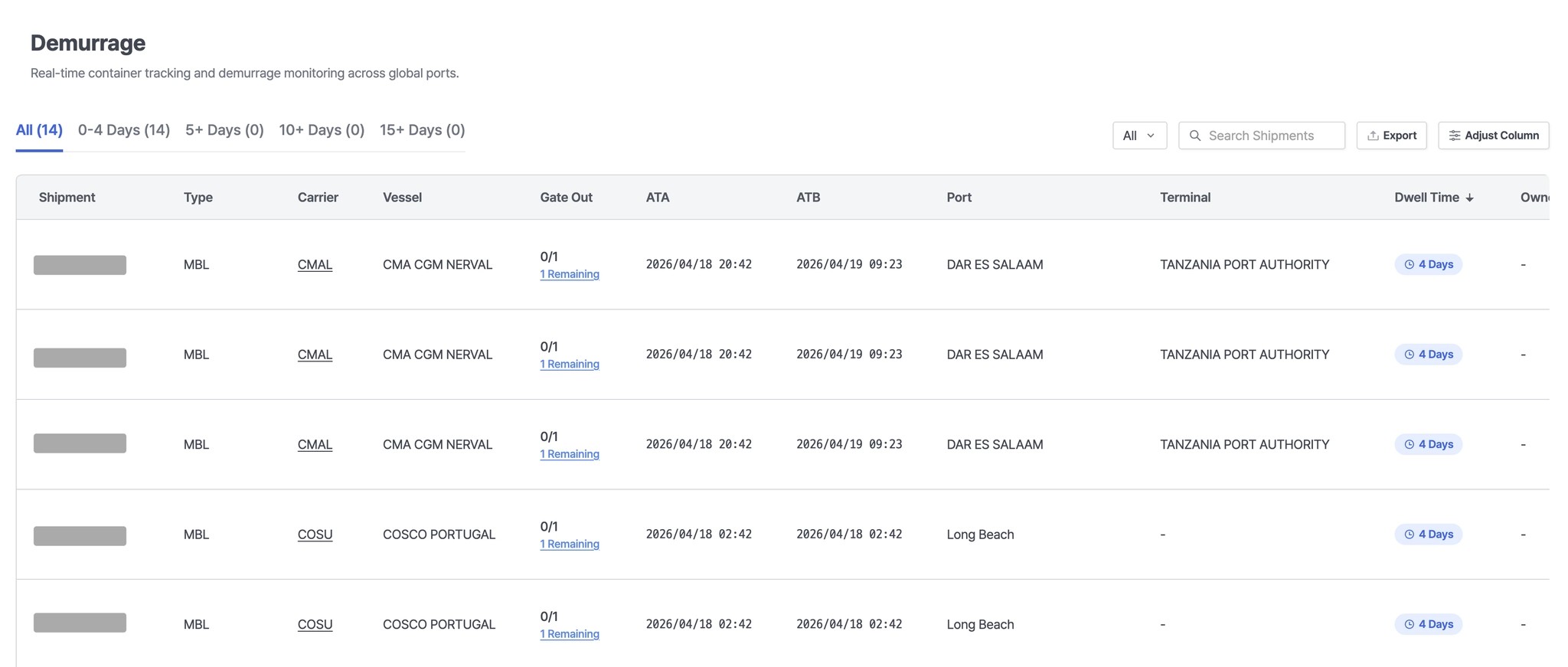



The Demurrage screen allows users to monitor container dwell time and quickly identify potential cost risks associated with extended stays.
Steps to Use the Screen Embed Service
1. Token Issuance
Issue the user token.
Request URL:
Request URL: [GET] https://insight.seavantage.com/api/token/publish
Execution Steps
1.
2.
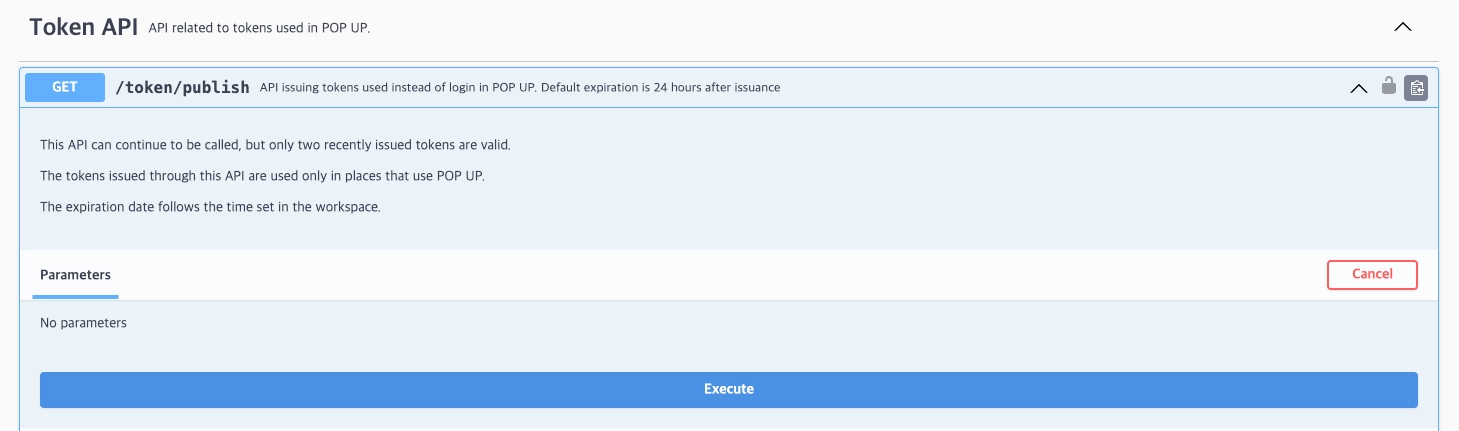
Navigate to /token/publish.
3.
Click [Try it out] to activate input fields.
4.
Click [Execute].
5.
View results in the response section.
Notes
•
Tokens are valid for 24 hours. To maintain continuous access, it is recommended to renew them every 12 hours.
•
This API can be called multiple times, but only the two most recently issued tokens remain valid. Previously issued tokens are automatically expired.

2. Generate Embed URL
Generate a screen embed URL by combining the issued token with parameters.
Parameter Types
The Screen Embedding feature allows you to access the Cargo Report view by combining the parameters below. You can use the embedding service by entering the generated URL in a browser or an iframe .
Notes
•
Only shipments registered in your workspace are available for cargo tracking.
userToken (Required)
•
A valid user token issued by SeaVantage
Combination Examples
https://insight.seavantage.com/cargo-report/overview?userToken={userToken}
Plain Text
복사