



Users can register shipments they want to track by entering a Container number, M-B/L number, or Booking number.
 Click Available carriers in the upper-right corner to view the list of shipping lines supported by Cargo Insight.
Single
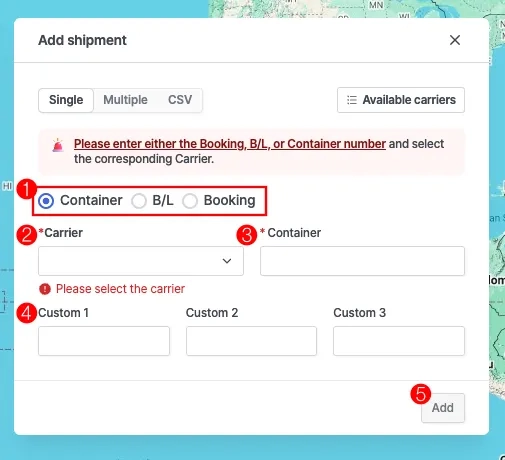
Cargo insight > Add shipment > Single Registration Tab
No. | Field | Description |
1 | Shipment type | Select the shipment type |
2 | Carrier | Enter or select the carrier code.
If the shipment type is B/L or Booking and the carrier code is not entered, the carrier will be automatically predicted. |
3 | Shipment Number | Enter one of the following according to the shipment type: Container number, B/L number, or Booking number. |
4 | Custom 1 ~ 3 | Enter information in the user-defined fields according to your purpose. |
5 | Add | Click Add to register the shipment |
Multiple
Shipment Registration Notes
•
To register a shipment, enter at least one of the following: Container number, B/L number, or Booking number.
(For B/L or Booking numbers, the carrier code is automatically predicted after clicking Validate.)
•
To add more shipments, click Add row.
•
After entering all information, click Validate to run the validation check.
•
Click Add to register all valid shipments.
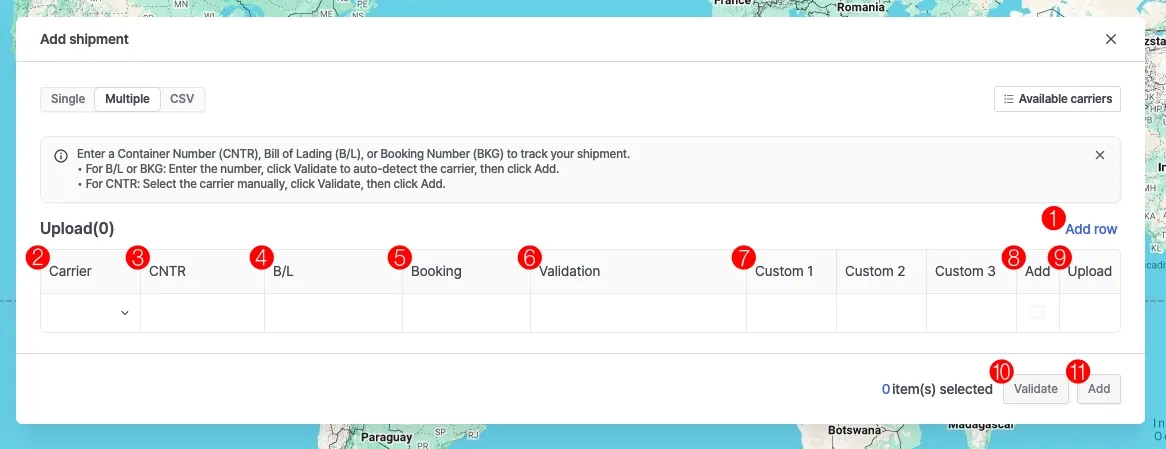
Cargo insight > Add shipment > Multiple Registration Tab
No. | Field | Description |
1 | Add row | Add a new row |
2 | Carrier | Enter the carrier code |
3 | CNTR | Enter the container number |
4 | B/L | Enter the M-B/L number |
5 | Booking | Enter the Booking number |
6 | Validation | Displays the validation result |
7 | Custom 1 ~ 3 | User-Defined Field |
8 | Add | Indicates if the shipment can be added |
9 | Upload | Shows whether the registration has been completed |
10 | Validate | Run validation |
11 | Add | Register the shipment |
CSV
Shipment Registration Notes
•
Download the CSV template.
•
Enter the carrier code and one of the following: Container number, B/L number, or Booking number.
(For B/L or Booking numbers, the carrier code is automatically predicted after clicking Validate.)
•
After completing the template, upload the file by clicking Click to upload or dragging the file into the upload area.
•
Click Validate to run the validation check, then click Add to register the shipments.
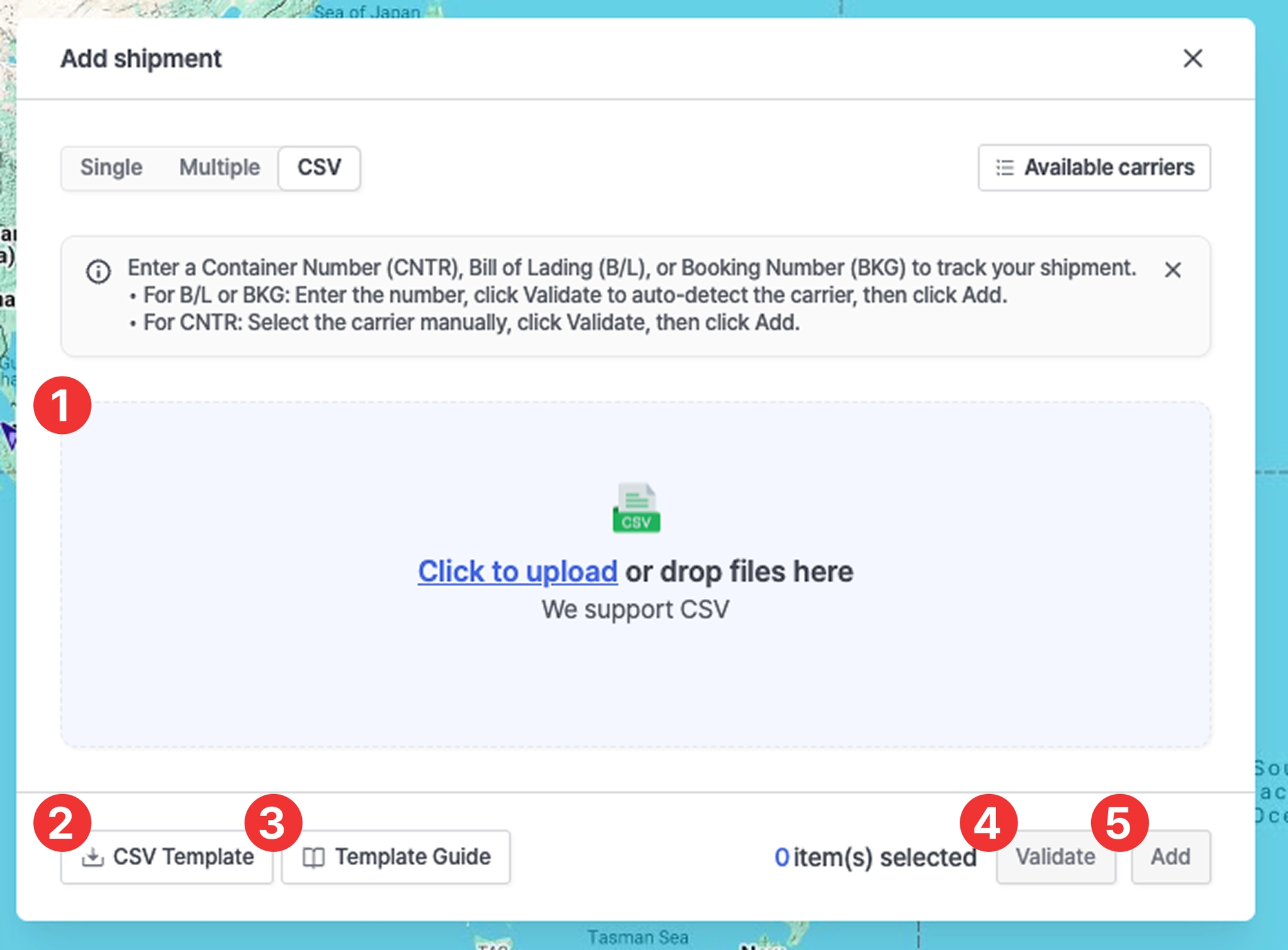
Cargo insight > Add shipment > CSV Registration Tab
No. | Field | Description |
1 | CSV file upload | - Click Click to upload to select a file
- Or drag and drop the CSV file into the upload area |
2 | CSV Template | Download the CSV template file |
3 | Template Guide | CSV Template Creation Guide
Go to the CSV Template Guide |
4 | Validate | Run validation |
5 | Add | Register the shipments |