



This API allows bulk registration of vessel schedules using a carrier code and either an M-B/L number or booking number. Carriers can use this API to register or update detailed cargo information in the system.

The submitted data is used to configure the Cargo Insight view. Only pre-approved carrier codes can be registered. If a new carrier code is required, prior coordination is necessary.

Authentication
The Cargo API uses Basic Authorization on Swagger UI.
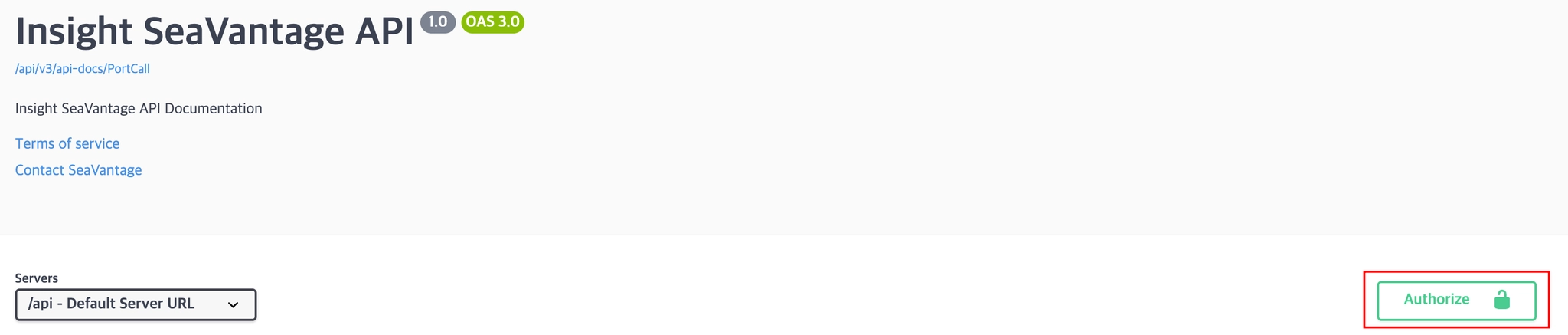
Authentication Steps
1.
Click the [Authorize] button in the top right corner.
2.
Enter the provided username and password in the popup window.
3.
Click [Authorize] again to proceed with authentication.
4.
After successful login, click [Close] to close the window.
All API requests from Swagger UI will automatically include the authorization token.
Cargo Registration Request
Request URL
Request URL : [POST] https://insight.seavantage.com/api/cargo/bulk
Execution Steps
1.
2.
Navigate to the /cargo/bulk endpoint.
3.
Click [Try it Out] to activate the input fields.
4.
Results are returned based on the Parameters below.
•
Request body : Enter the carrier’s cargo information to register or update detailed shipment data in the system.
5.
Click the [Execute] button.
6.
Check the response section below for the registration result.
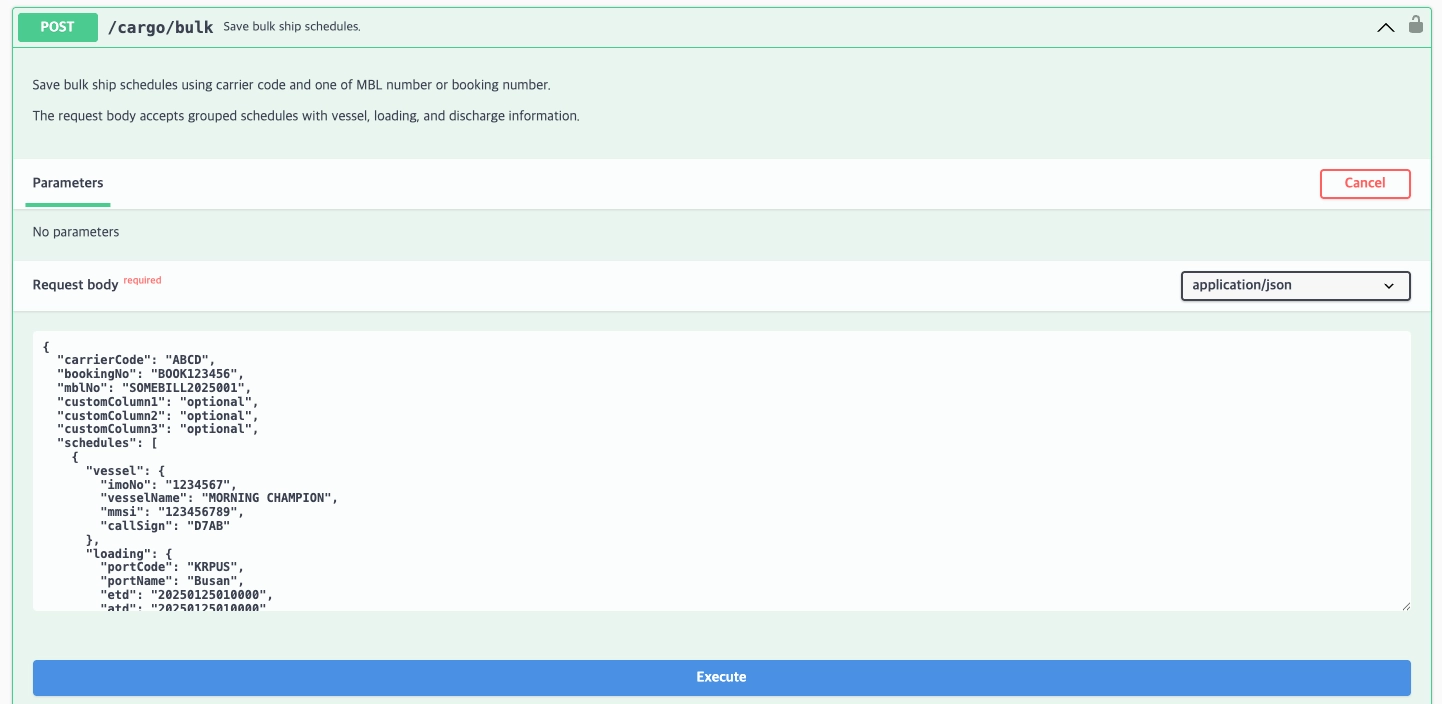
Request body example
{
"carrierCode": "ABCD",
"bookingNo": "BOOK123456",
"mblNo": "SOMEBILL2025001",
"customColumn1": "optional",
"customColumn2": "optional",
"customColumn3": "optional",
"schedules": [
{
"vessel": {
"imoNo": "1234567",
"vesselName": "MORNING CHAMPION",
"mmsi": "123456789",
"callSign": "D7AB"
},
"loading": {
"portCode": "KRPUS",
"portName": "Busan",
"etd": "20250125010000",
"atd": "20250125010000"
},
"discharge": {
"portCode": "USNYC",
"portName": "New York",
"eta": "20250215090000",
"ata": "20250215103000"
}
}
]
}
JavaScript
복사
Field Description
Field | Description |
carrierCode | SCAC Code |
bookingNo | Booking Number |
mblNo | M-B/L Number |
customColumn1 | Custom Field 1 |
customColumn2 | Custom Field 2 |
customColumn3 | Custom Field 3 |
imoNo | Vessel IMO Number |
vesselName | Vessel Name |
mmsi | Vessel Unique Identifier (MMSI) |
callSign | Call Sign |
portCode | Port of Loading (POL) UN/LOCODE |
portName | Port of Loading (POL) Name |
etd | Estimated Time of Departure (ETD) at POL |
atd | Actual Time of Departure (ATD) at POL |
portCode | Port of Discharge (POD) UN/LOCODE |
portName | Port of Discharge (POD) Name |
eta | Estimated Time of Arrival (ETA) at POD |
ata | Actual Time of Arrival (ATA) at POD |
Response Information
The response is returned in the following format, regardless of whether the request is successful or failed.
Sample Response Format
{
"code": 201,
"message": "Created",
"error": false,
"timestamp": "2025-08-22T01:04:57.593170861",
"response": null
}
JSON
복사
Response Field Descriptions
Top-Level Response Fields
Field | Example Value | Description |
code | 201 | Response status code (used in the same way as standard HTTP status codes).
See the list of codes below for reference. |
message | success | Response message (description based on status) |
error | false | Error flag
true: error occurred false: successful processing |
timestamp | 2025-05-14T01:09:00.834665213 | Time of response creation (UTC) |
response | null | Returns null on success |
Response Codes
Code | Description |
201 | Created |
400 | Bad request |
401 | Unauthorized |
403 | Forbidden |
422 | Unprocessable entity |
429 | Too many requests, standard rate limit of 100 requests per minute exceeded |