


This API generates a dedicated link that allows a specific shipment to be shared with other users.

Authentication
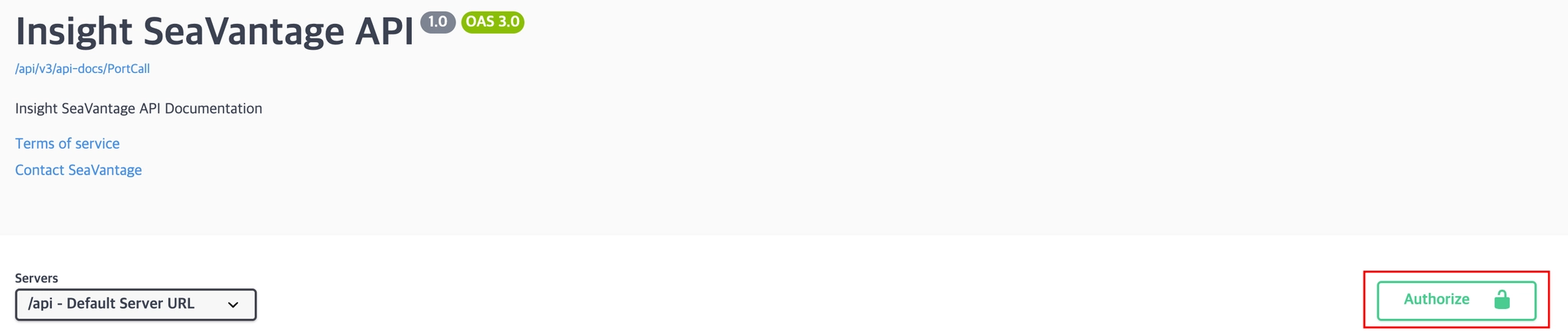
The Share API uses Basic Authorization on Swagger UI.
Authentication Steps
1.
Click the [Authorize] button in the top right corner.
2.
Enter the provided username and password in the popup window.
3.
Click [Authorize] again to proceed with authentication.
4.
After successful login, click [Close] to close the window.
All API requests from Swagger UI will automatically include the authorization token.
Request Information
Request URL
Request URL : [POST] https://insight.seavantage.com/api/share/links
Execution Steps
1.
2.
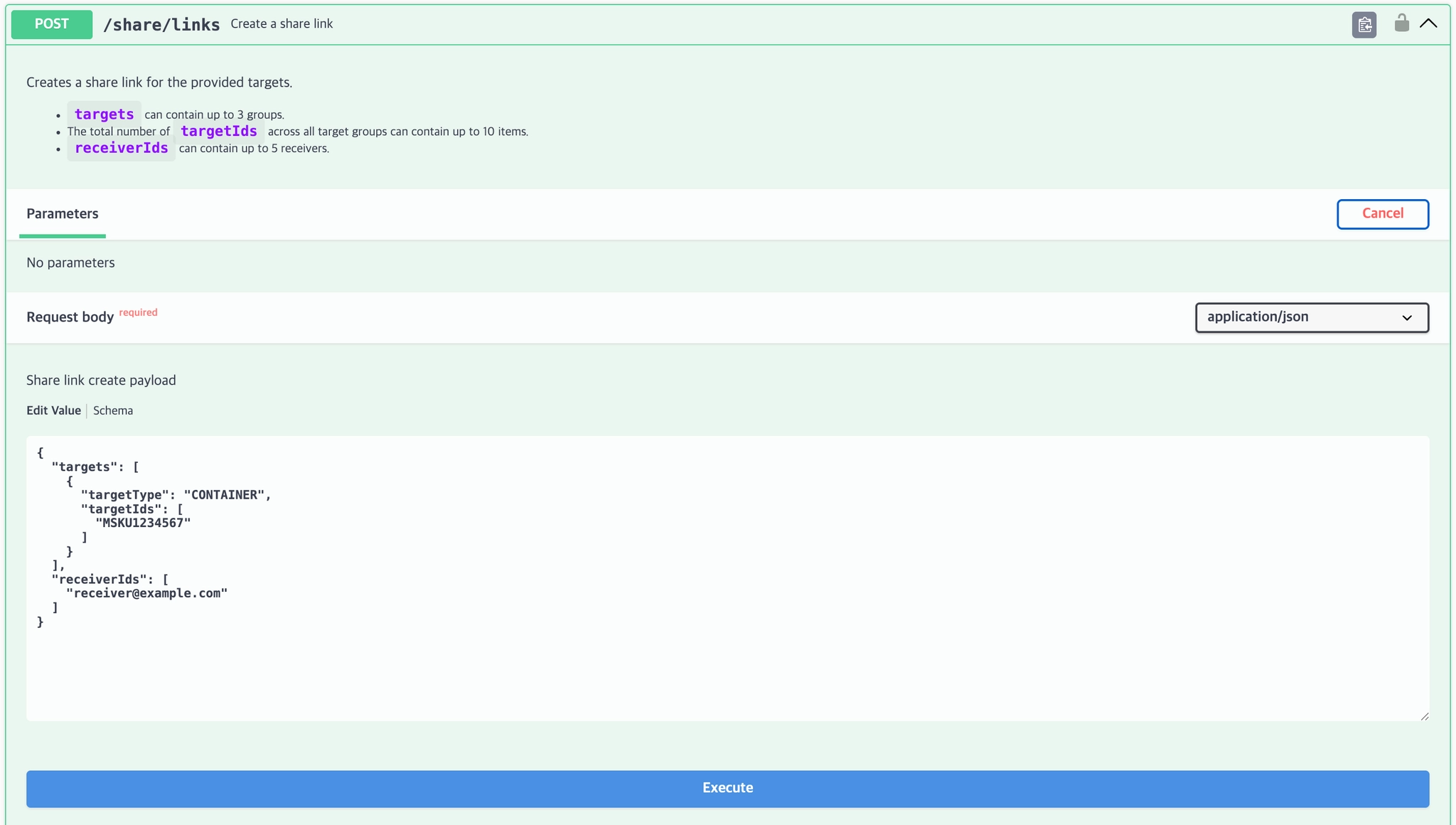
Navigate to the /share/links endpoint.
3.
Click [Try it out] to activate input fields.
4.
Results are returned based on the request parameters below.
5.
Click the [Execute] button.
6.
View results in the response section.
Sample Request Body
{
"targets": [
{
"targetType": "CONTAINER",
"targetIds": [
"MSKU1234567"
]
}
],
"receiverIds": [
"receiver@example.com"
]
}
JavaScript
복사
Field Description
•
targets
◦
targetType : Shipment identification type
▪
CONTAINER : Container number
▪
MBL : M-B/L number
▪
BOOKING : Booking number
◦
targetIds : Shipment identifier (M-B/L No., Booking No., or Container No.)
▪
Up to 10 shipment IDs can be entered
•
receiverIds : Recipient email addresses for the shared link
◦
Up to 5 email addresses can be entered
Response Information
The response is returned in the following format, regardless of whether the request is successful or failed.
Sample Response Format
{
"code": 200,
"message": "OK",
"error": false,
"timestamp": "2026-03-19T10:15:30",
"response": {
"linkId": "AbCdEfGh12345678",
"shareUrl": "https://insight.seavantage.com/share/AbCdEfGh12345678",
"createdAt": "2026-03-19T10:15:30Z"
}
}
JavaScript
복사
Top-Level Response Fields
Response Field Descriptions
Field | Example Value | Description |
code | 200 | Response status code (used in the same way as standard HTTP status codes).
See the list of codes below for reference. |
message | OK | Response message (description based on status) |
error | false | Error flag
true: error occurred false: successful processing |
timestamp | 2025-05-14T01:09:00.834665213 | Time of response creation (UTC) |
response | null or Object | Returns cargo data if found Returns null if not found |
Response Codes
Code | Description |
200 | Created |
400 | Bad request |
401 | Unauthorized |
403 | Forbidden |
422 | Unprocessable entity |
429 | Too many requests, standard rate limit of 100 requests per minute exceeded |
503 | Authorization server is unavailable |
Detailed Response Description
Depth 1 Field Description (response object)
Field | Example Value | Description | Data Type |
linkId | AbCdEfGh12345678 | Unique ID of the generated shared link | varchar(64) |
shareUrl | https://insight.seavantage.com/share/AbCdEfGh12345678 | Shared link URL | text |
createdAt | 2026-03-19T10:15:30Z | Shared link creation timestamp | timestamp |