



You can easily share a specific shipment detail view, allowing recipients to view real-time shipment information without logging in.
Single
1.
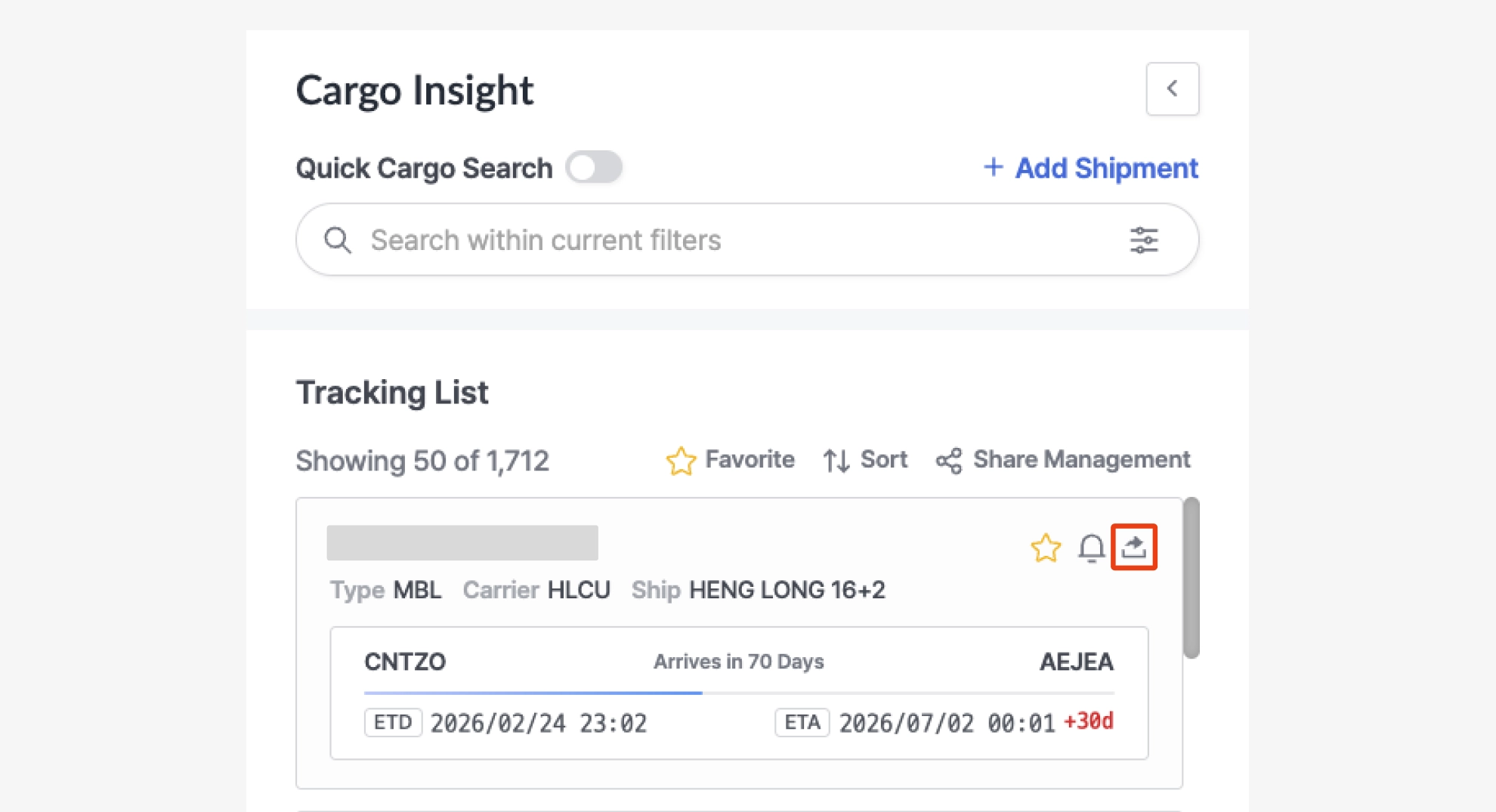
Click the [Share Shipment] button from the Tracking List or the Shipment Detail View.
2.
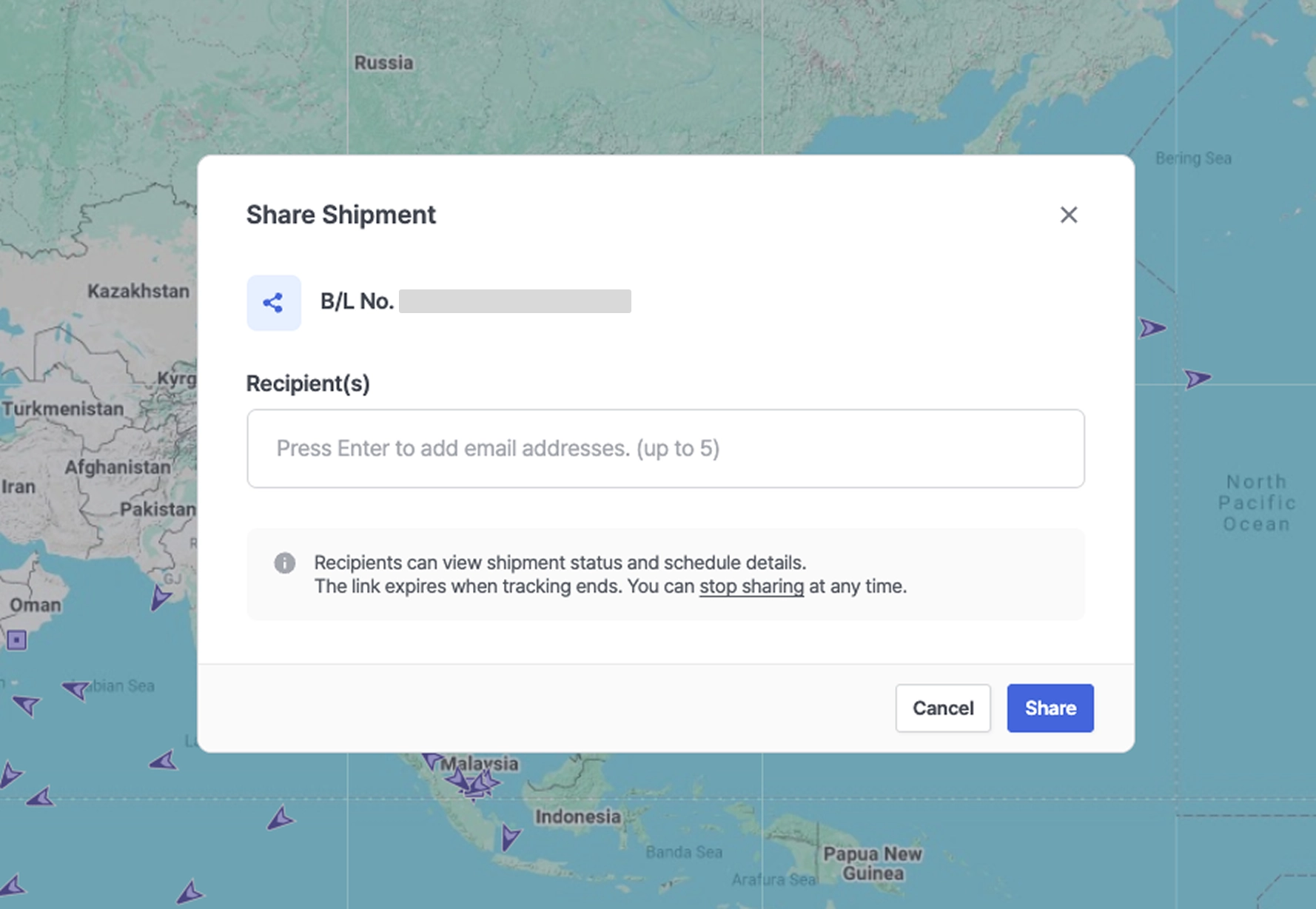
The Share Shipment modal will be displayed.
3.
Enter the recipient’s email address. You can add up to 5 email addresses when generating a shared link.
4.
After entering the email(s), click the [Share] button.
5.
A shared link will be sent to the entered email address(es).
Multiple
1.
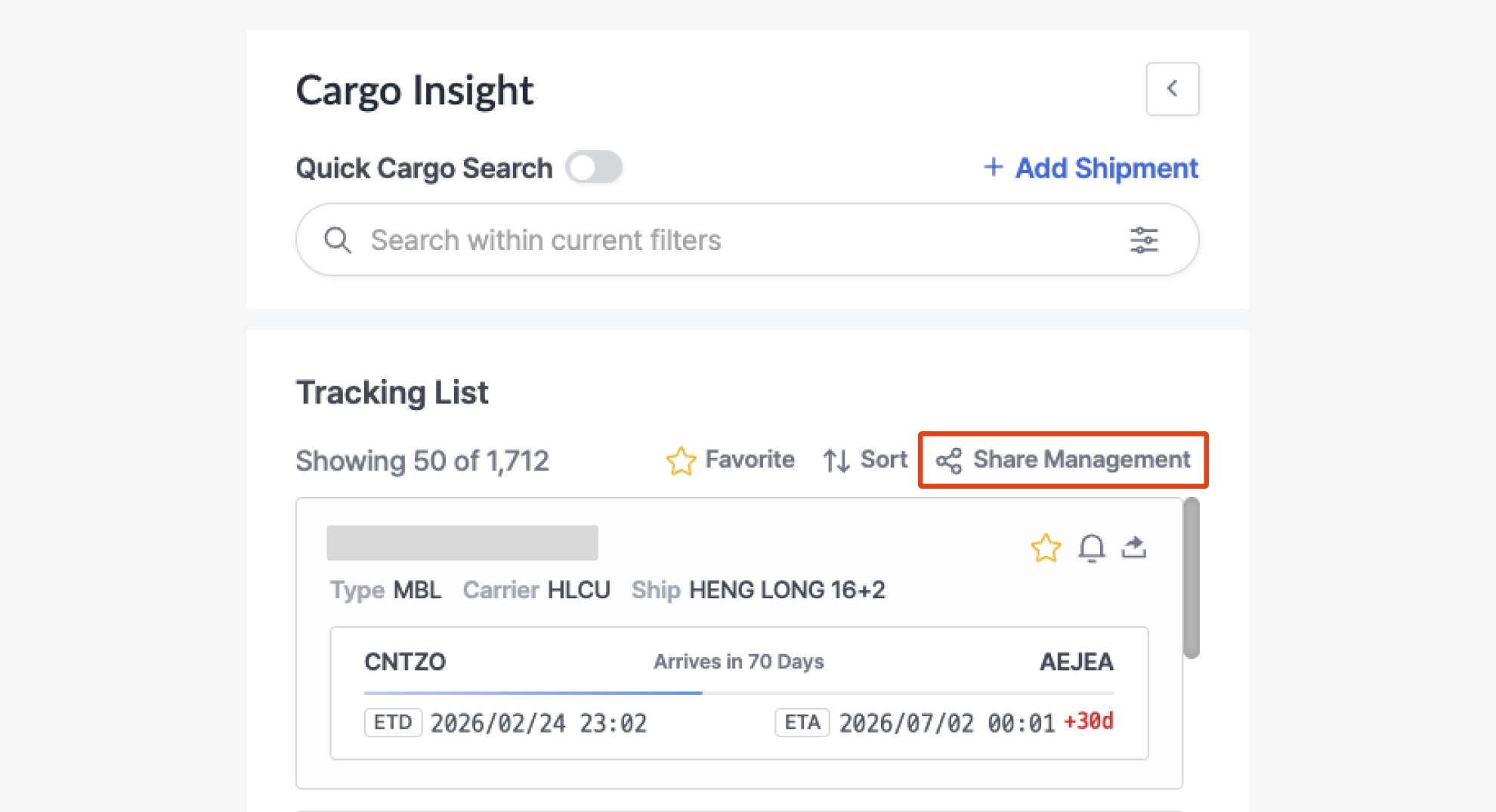
Click the [Share Management] button in the Tracking List.
2.
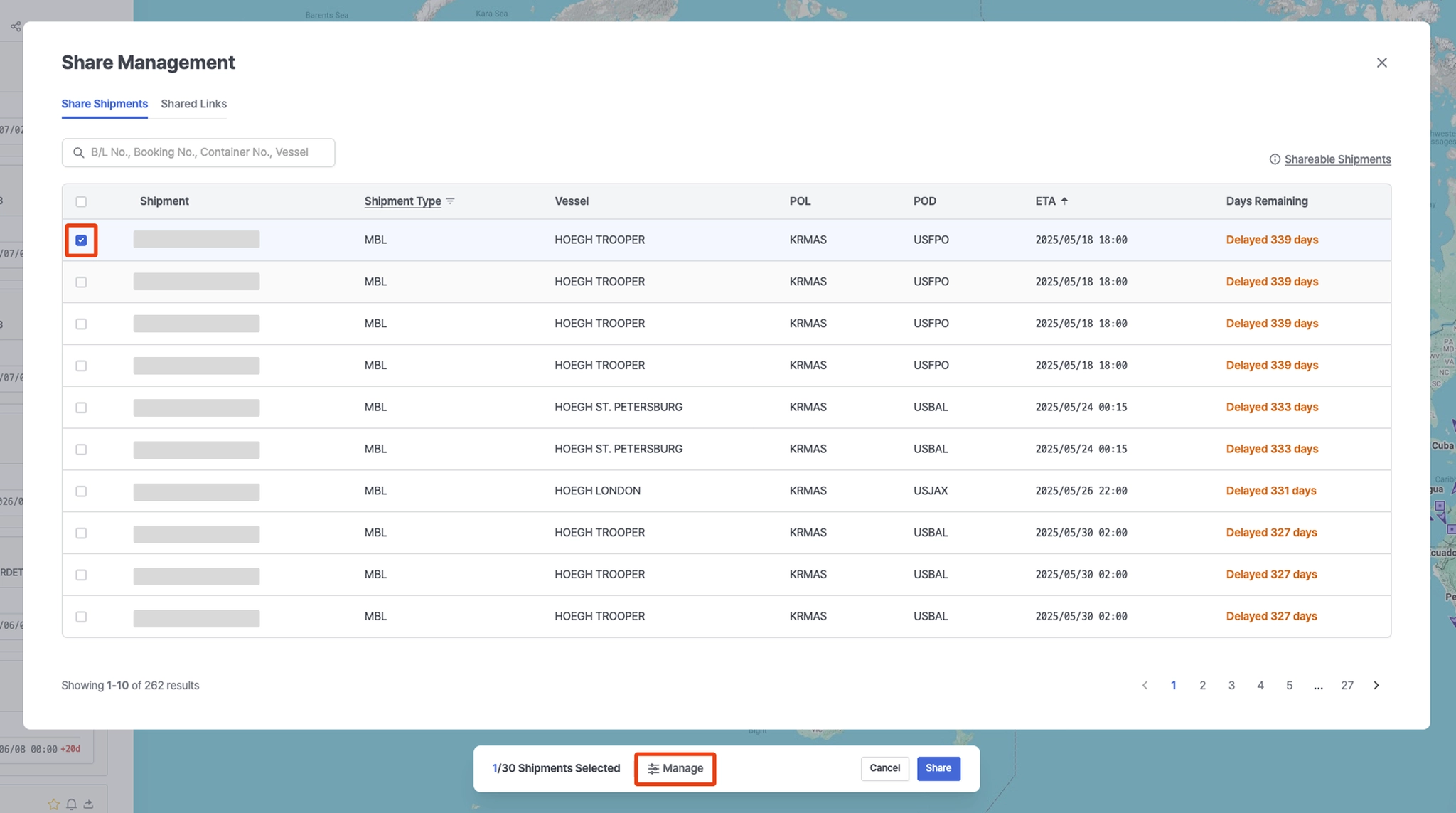
In the Share Management screen, select the checkbox for the shipment(s) you want to share.
•
Click the [Manage] button at the bottom to view and manage the selected shipment(s).
3.
Click the [Share] button at the bottom.
4.
The Share Shipment modal will be displayed.
5.
Enter the recipient’s email address. You can add up to 5 email addresses.
6.
After entering the email(s), click the [Share] button.
7.
A shared link will be sent to the entered email address(es).
Shared Links (Admin User View)
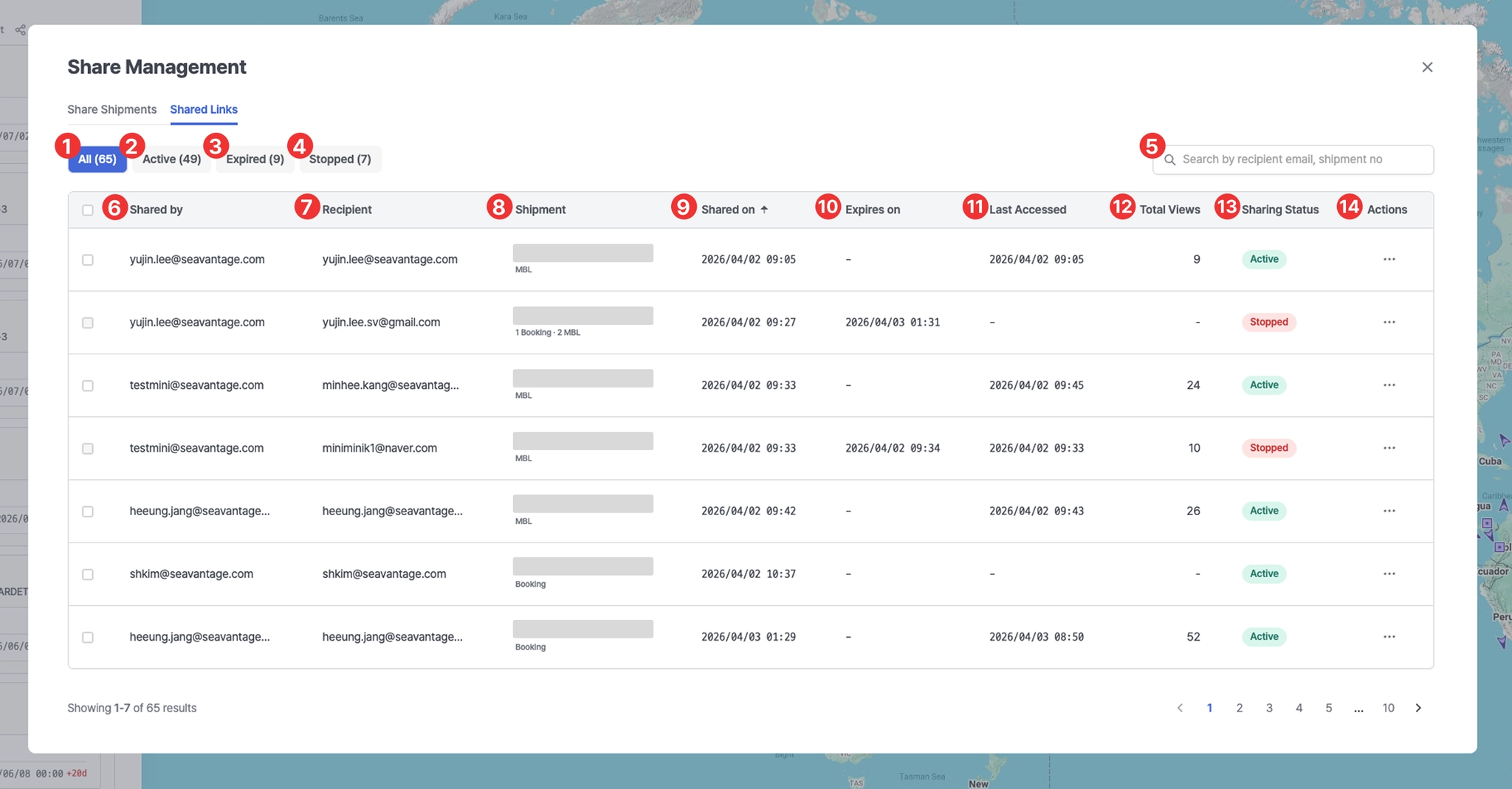
No. | Description |
1 | View all shared links |
2 | View active shared links |
3 | View expired shared links |
4 | View links with sharing stopped |
5 | Search by recipient email or shipment number |
6 | User who shared the link |
7 | User who received the link |
8 | Shipment number (M-B/L No., Booking No., or Container No.) |
9 | Shared link creation date |
10 | Link expiration date
- Automatically expires 45 days after POD ATA |
11 | Last access date |
12 | Number of link views |
13 | Shared link status |
14 | Link settings
- View activity log : View link access logs
- Stop sharing : Disable link sharing (multiple selection supported) |
Shared Links (User View)
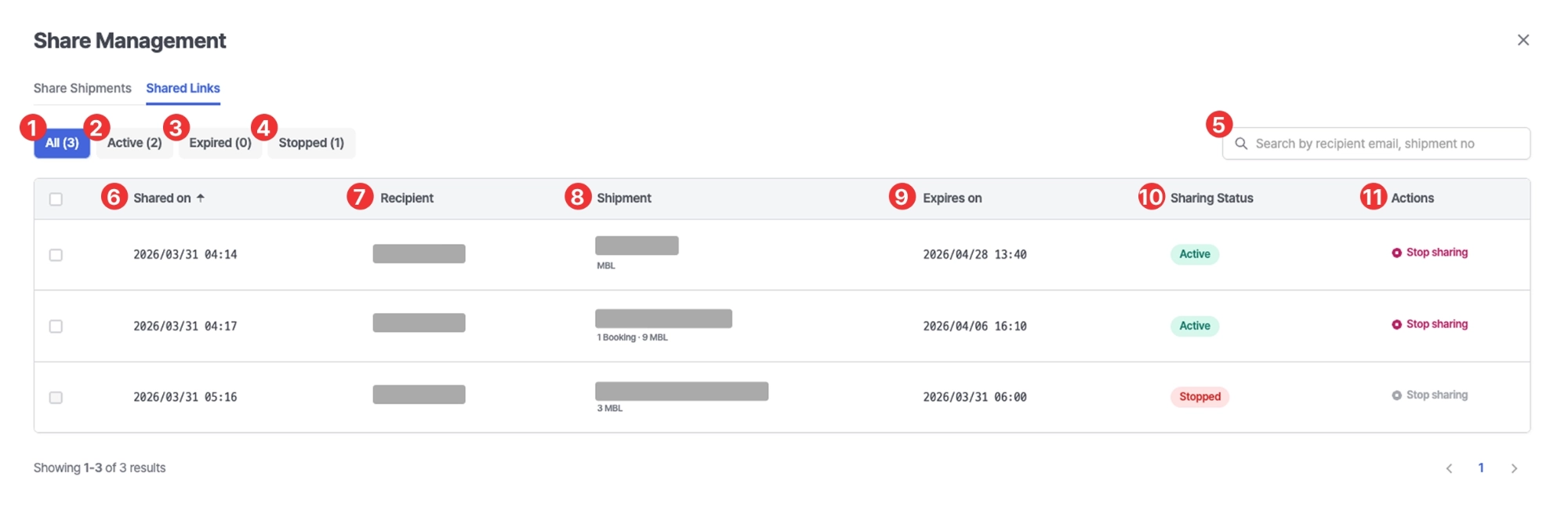
No. | Description |
1 | View all shared links |
2 | View active shared links |
3 | View expired shared links |
4 | View links with sharing stopped |
5 | Search by recipient email or shipment number |
6 | Shared link creation date |
7 | User who received the link |
8 | Shipment number (M-B/L No., Booking No., or Container No.) |
9 | Link expiration date
- Automatically expires 45 days after POD ATA |
10 | Shared link status |
11 | Link settings
- Stop sharing : Disable link sharing (multiple selection supported) |