



This API provides key operational metrics for Port Insight at the terminal level. Data is updated approximately every 15 minutes based on AIS data. If no terminal is selected, operational metrics are displayed at the port level.

Authentication
The Port Insight Overview API uses Basic Authorization on Swagger UI.
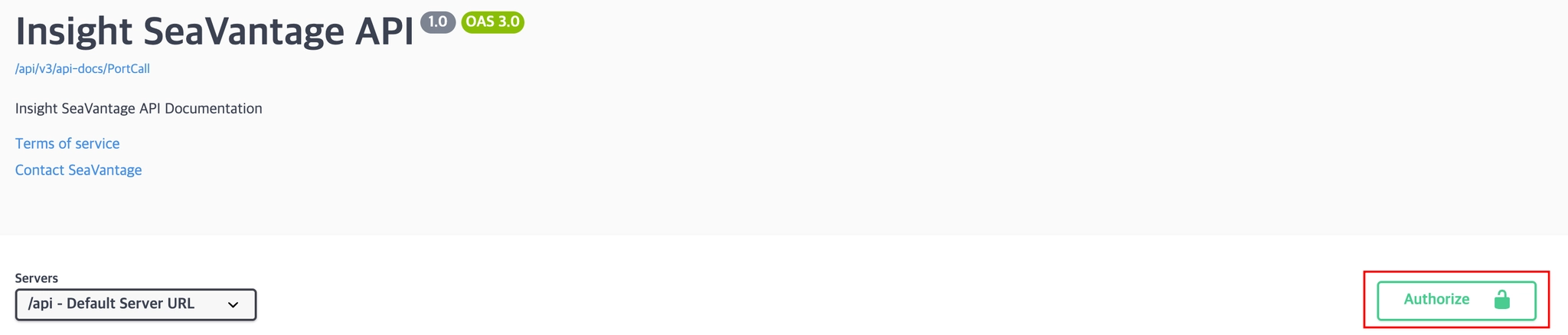
Authentication Steps
1.
Click the [Authorize] button in the top right corner.
2.
Enter the provided username and password in the pop-up window.
3.
Click [Authorize] again to proceed with authentication.
4.
After successful login, click [Close] to close the window.
All API requests from Swagger UI will automatically include the authorization token.
Request Information
Request URL
Request URL : [GET] https://insight.seavantage.com/api/port-insight/overview/terminals
Execution Steps
1.
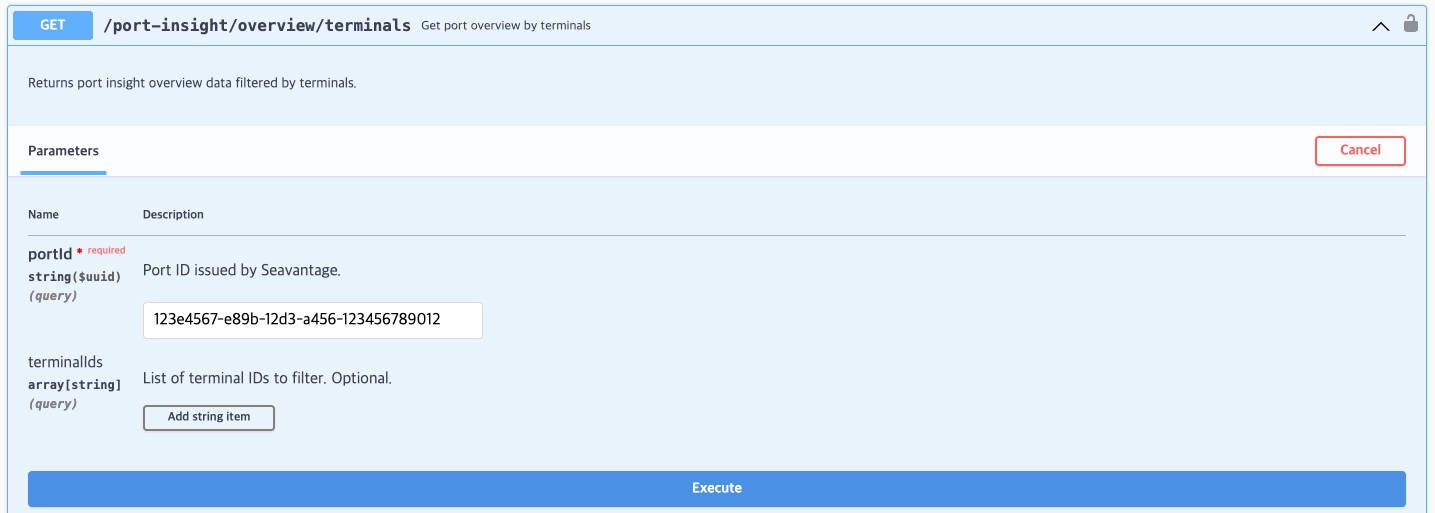
In the Swagger Documentation, select Port Insight from the Select a definition menu at the top right.
2.
Navigate to the /port-insight/overview/terminals endpoint.
3.
Click [Try it out] to activate input fields.
4.
Enter values according to the following request parameters:
•
portId (required)
◦
The unique Port ID issued by SeaVantage.
◦
•
terminalIds (optional)
◦
The unique terminal identifier (Terminal ID) issued by SeaVantage
◦
5.
Click [Execute].
6.
View results in the response section.
Response Information
The response is returned in the following format, regardless of whether the request is successful or failed.
Sample Response Format
{
"code": 200,
"message": "OK",
"error": false,
"timestamp": "2026-04-03T05:26:17.933656333",
"response": {
"congestionIndex": 5,
"waitingShipCount": 36,
"avgWaitingDays": 2.2,
"workingShipCount": 77,
"avgWorkingDays": 1.8,
"avgIdleTimeHours": 5.2,
"onTheWayShipCount": 453
}
}
JavaScript
복사
Response Field Descriptions
Top-Level Response Fields
Field | Example Value | Description |
code | 200 | Response status code (used in the same way as standard HTTP status codes).
See the list of codes below for reference. |
message | OK | Response message (description based on status) |
error | false | Error flag
true: error occurred
false: successful processing |
timestamp | 2026-04-03T05:26:17.933656333 | Time of response creation (UTC) |
response | Array or Empty Array | Returns an array if data exists; returns an empty array if no data exists |
Response Codes
Code | Description |
200 | Success |
400 | Bad request |
401 | Unauthorized |
403 | Forbidden |
422 | Unprocessable entity |
429 | Too many requests, standard rate limit of 100 requests per minute exceeded |
Detailed Response Description
Depth 1 Field Description (response object)
Field | Example Value | Description | Data Type |
congestionIndex | 5 | Congestion Index (1–10 scale)
Indicates the current congestion level compared to historical averages.
1–2: Minimal or no delays; very smooth operations
3–4: More efficient than average port operations
5–6: Normal operating conditions; minor waiting possible
7–8: Increased vessel queue or delays in cargo handling
9–10: Significant congestion; port operating near capacity limits | int(null 가능) |
waitingShipCount | 36 | Number of vessels currently waiting at the port | int |
avgWaitingDays | 2.2 | Average waiting time (in days) of vessels currently waiting at the port | real |
workingShipCount | 77 | Number of vessels currently engaged in cargo operations | int |
avgWorkingDays | 1.8 | Average working time (in days) of vessels currently operating at the port | real |
avgIdleTimeHours | 5.2 | Average idle time (in hours) of vessels currently idle at the port | real |
onTheWayShipCount | 453 | Number of vessels currently en route to the port | int |