



This feature allows users to search for shipments registered in Cargo Insight. Shipments can be searched using the standard search function or the Quick Cargo Search for faster access.
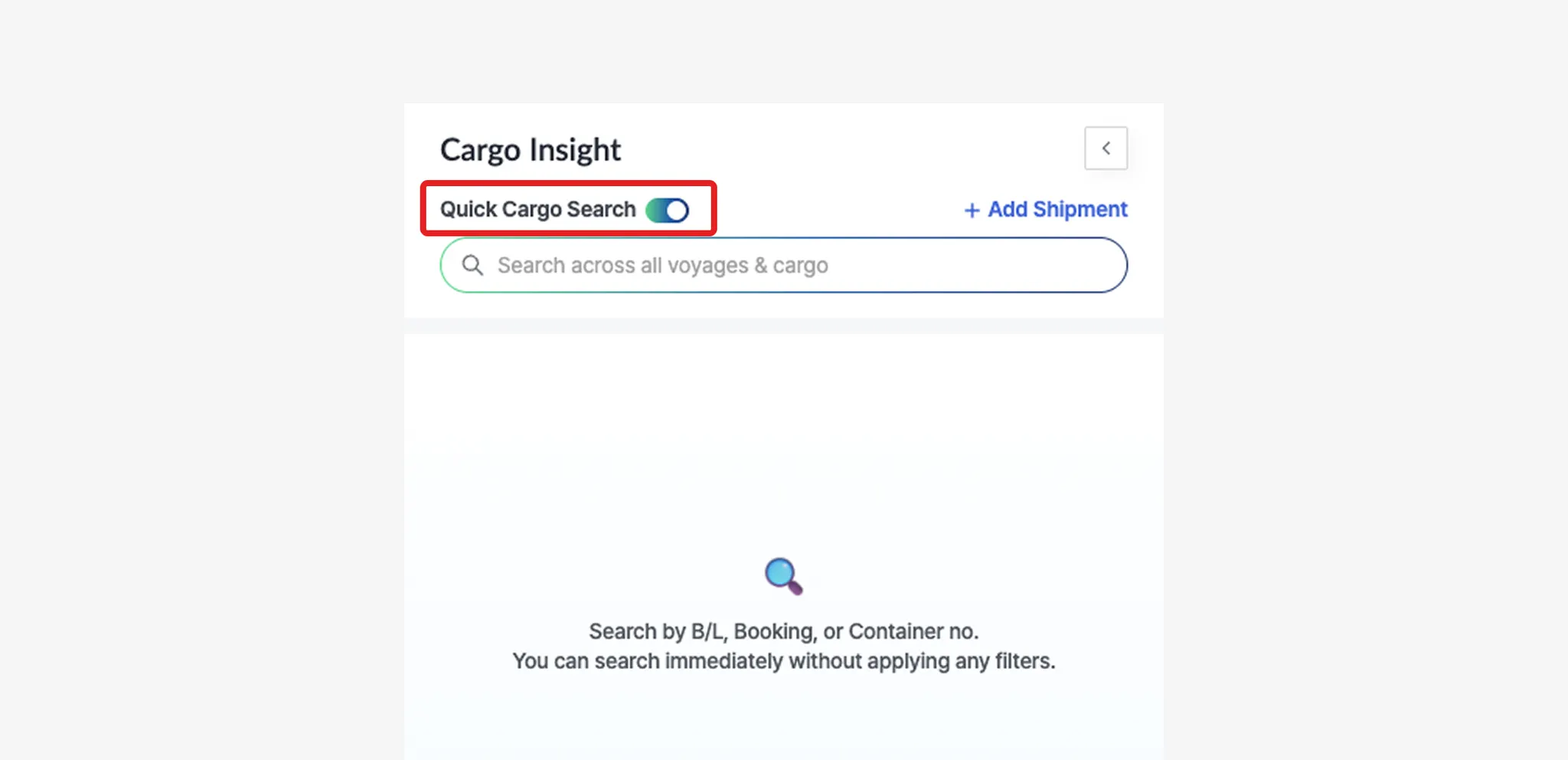
Quick Cargo Search
•
Enable the Quick Cargo Search toggle to instantly search shipments by entering an M-B/L Number, Booking Number, or Container Number in the search field.
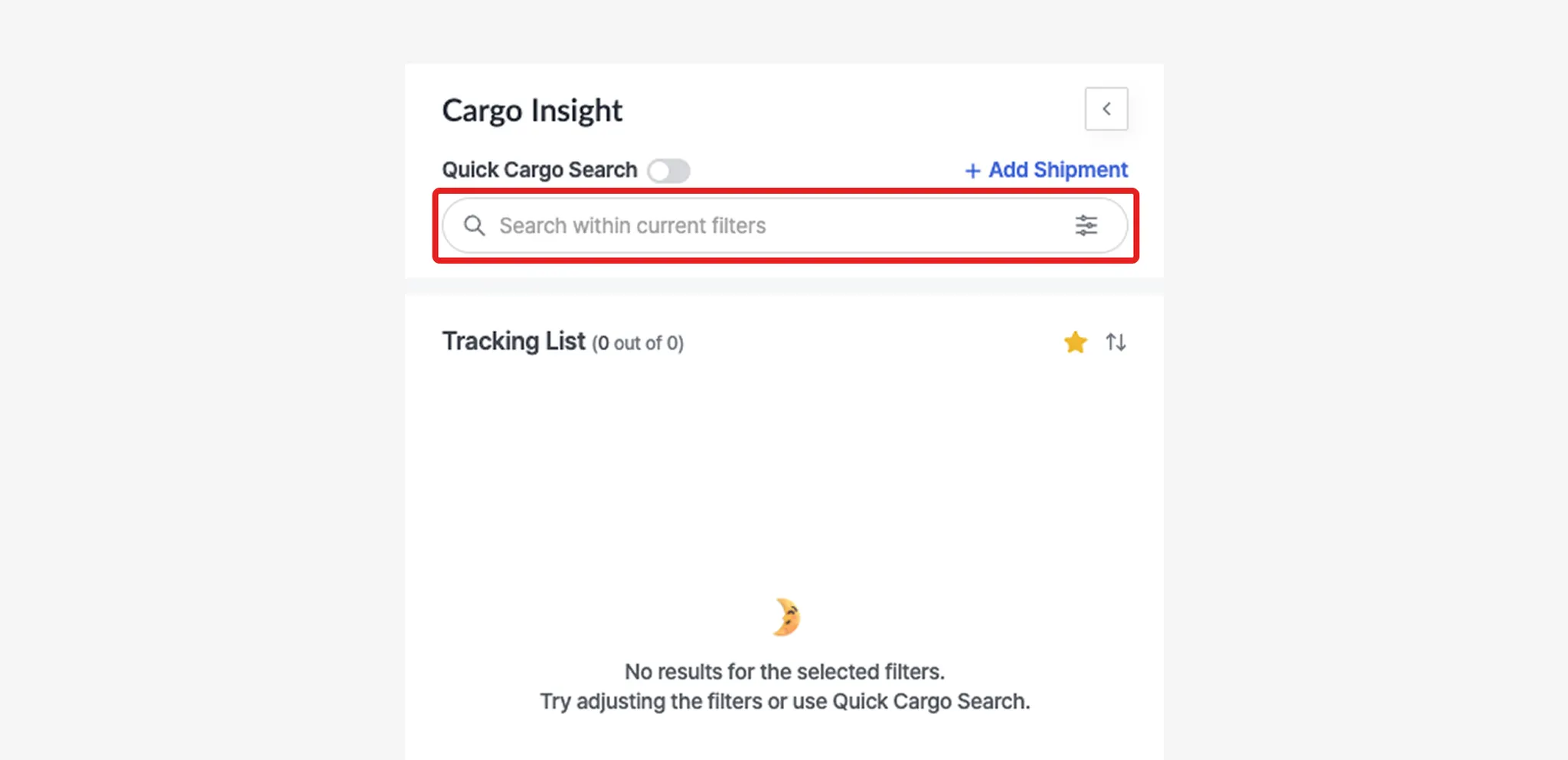
Search
•
Within the applied filter conditions, enter an M-B/L Number, Booking Number, or Container Number in the search field to retrieve matching shipments.
Filter
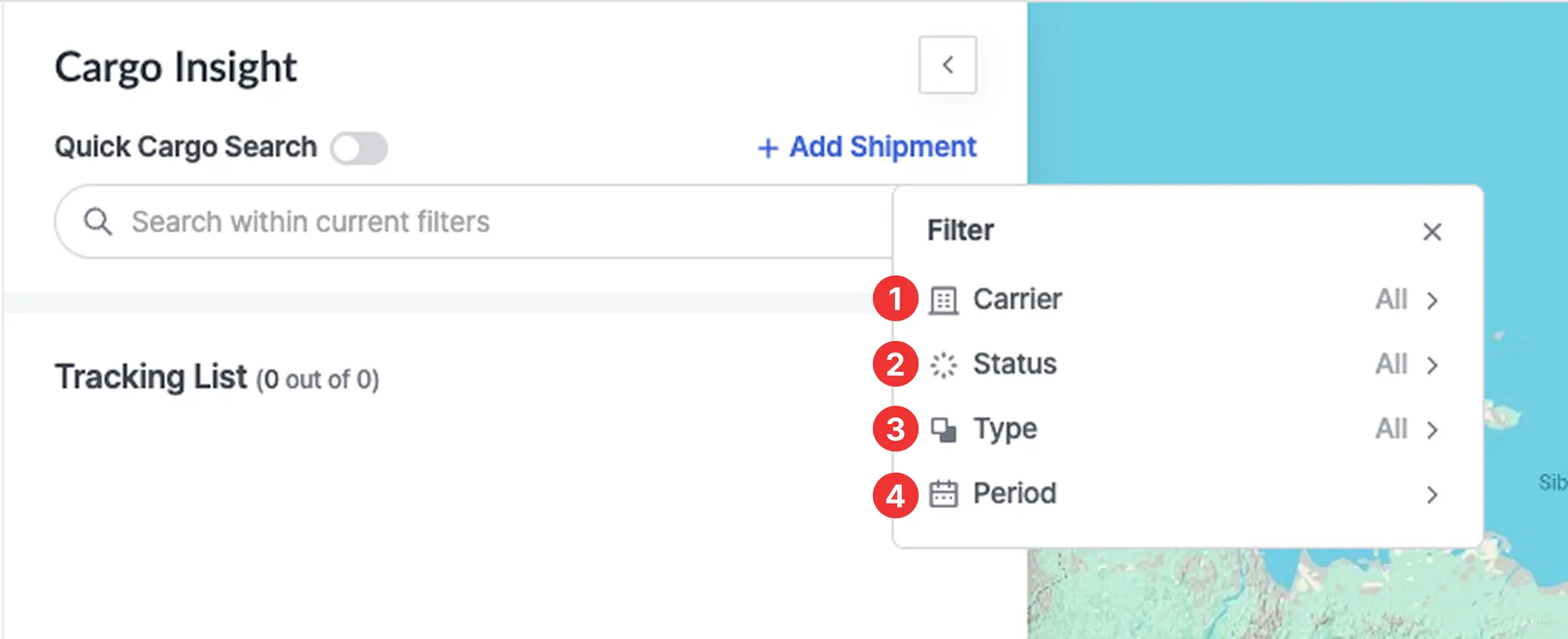
No. | Field | Description |
1 | Carrier | Allows you to filter shipments based on the carrier transporting the shipment. |
2 | Status | Allows you to filter shipments based on their current transportation status.
- Ready to depart : The vessel has not yet departed from the Port of Loading (POL).
- Departed : The vessel has departed from the Port of Loading.
- Arrived : The vessel has arrived at the Port of Discharge (POD).
- Processing : Shipment data is currently being retrieved.
- Pending : Location information is not available.
- Not found : Shipment lookup failed.
- Closed : Container event tracking has ended after arrival at the POD.
- Expired : Container tracking has repeatedly failed and is no longer active. |
3 | Type | Allows you to filter shipments by shipment identification type (M-B/L, Booking, or Container) |
4 | Period | Select ETA/ATA or ETD/ATD, set the desired date range, and click Apply to filter the shipments. |