



The Map View provides a visual overview of shipment progress by displaying the real-time locations of vessels and related ports for shipments in transit.
Ship Name
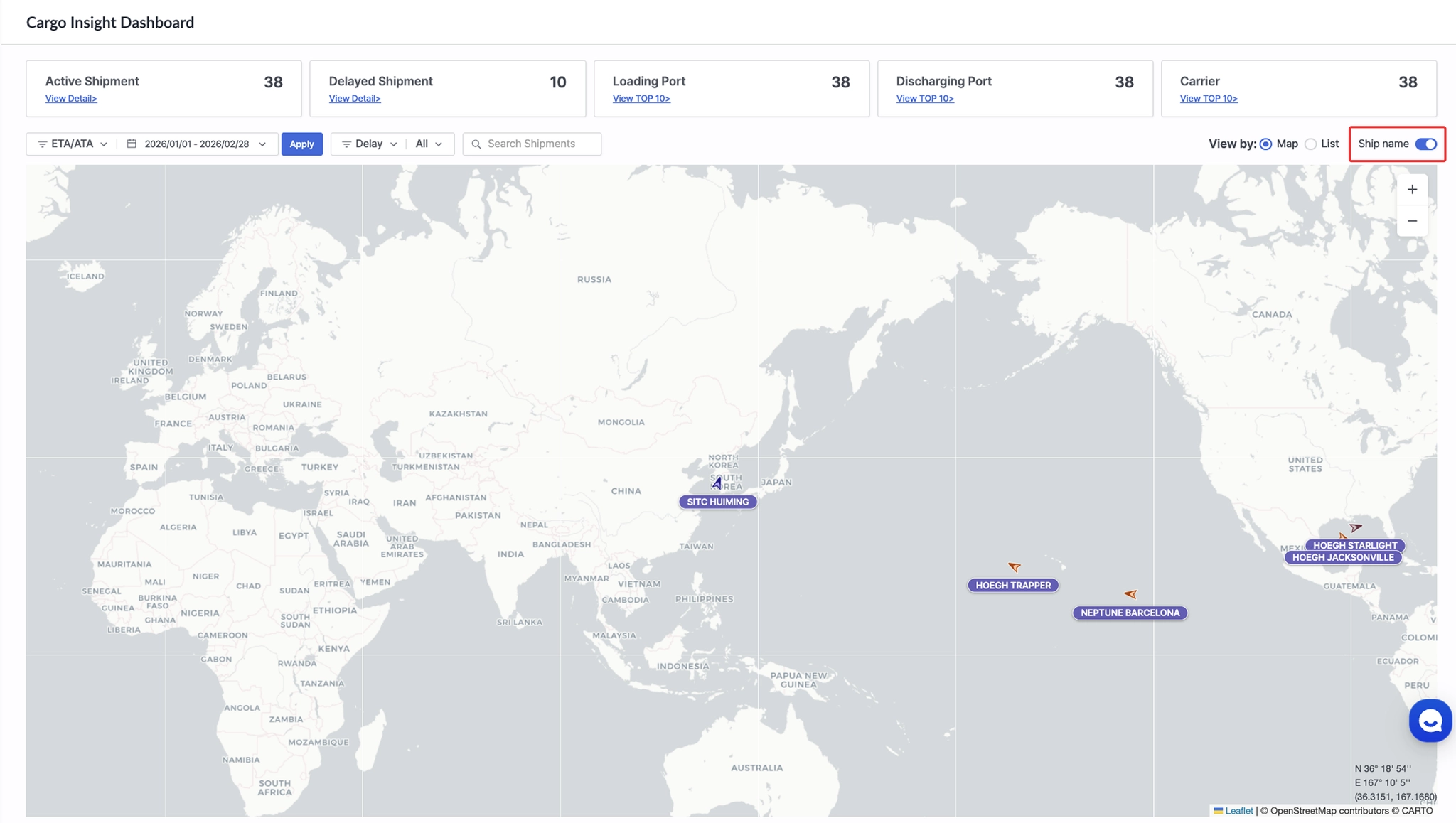
Cargo Insight Dashboard > Ship name toggle button to display ship names on the map
•
You can choose whether to display vessel names on the map. When the toggle button is enabled, the vessel name is shown below the arrow icon.
Vessel Arrow Icon
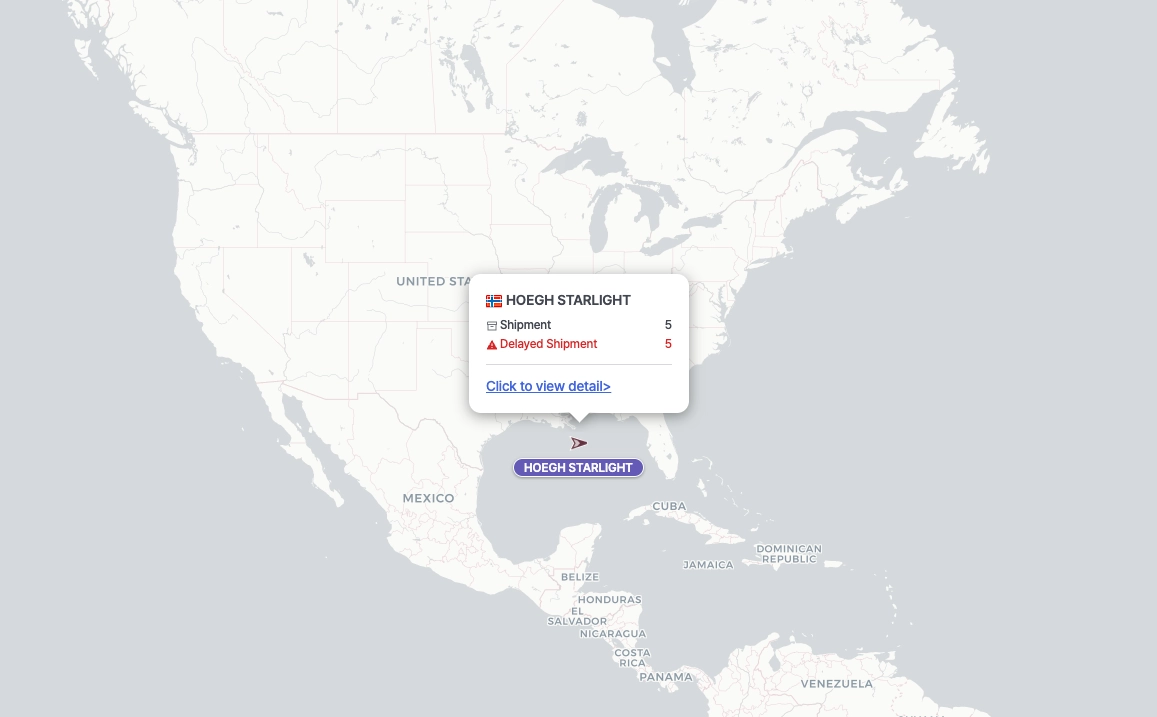
Cargo Insight Dashboard > Map – Real-time vessel locations
•
Indicates the real-time position of vessels associated with registered shipments.
•
Clicking the arrow icon displays the vessel name, number of related shipments, and number of delayed shipments. Click “Click to view detail” to move to List View and review the related shipments in detail.
Gray Marker
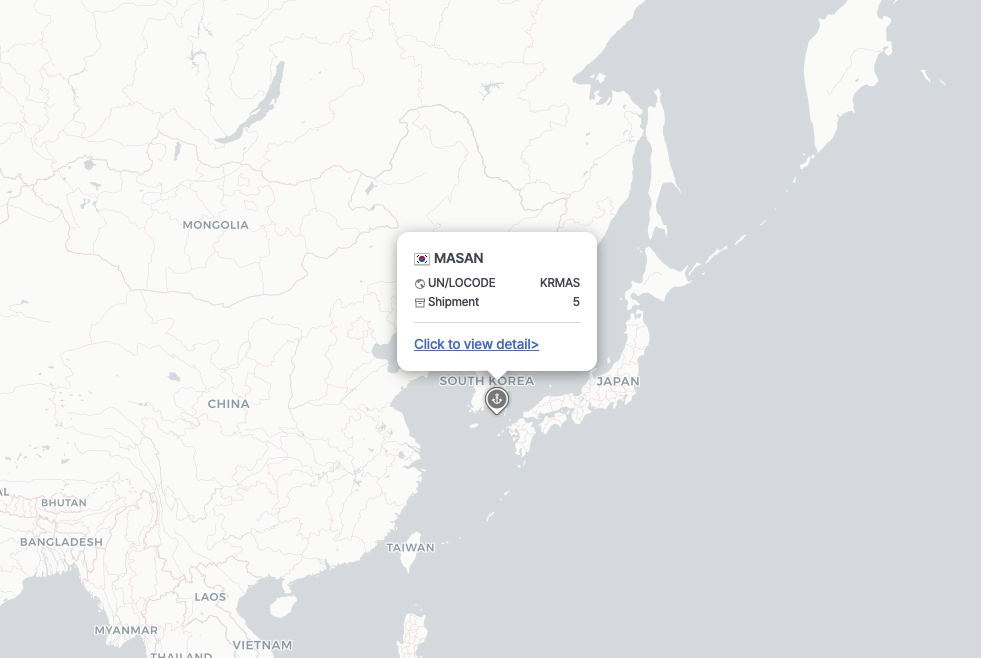
Cargo Insight Dashboard > Map – Real-time port locations
•
Indicates the real-time location of ports related to registered shipments.
•
Clicking a gray marker displays the port name, UN/LOCODE, and number of related shipments. Click “Click to view detail” to move to List View and review the related shipments in detail.