



The Layer panel allows you to adjust the map style and configure various map-related layer options.
Layer
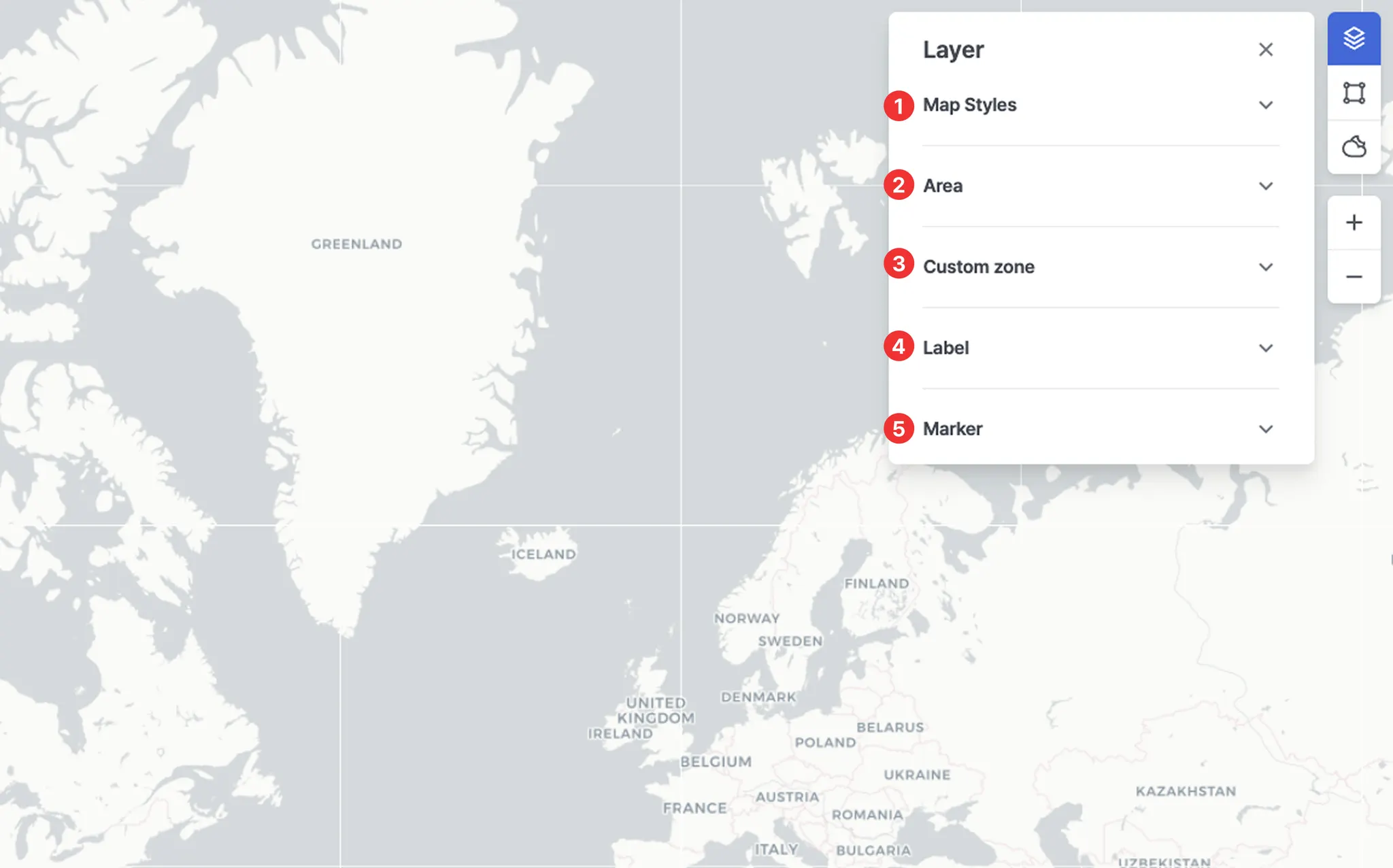
No. | Item | Description |
1 | Map Styles | • Select the desired map style.
• You can also change the list of available map styles displayed in the Layer panel by selecting preferred styles in Settings. |
2 | Area | Displays specific designated areas on the map.
◦ ECA (Emission Control Area)
◦ EEZ (Exclusive Economic Zone)
◦ JWC (Joint War Committee)
◦ HRA (High Risk Area)
◦ TSS (Traffic Separation Scheme) |
3 | Custom zone | Displays user-defined zones on the map. |
4 | Label | Ship name: Displays the vessel name below the vessel icon. |
5 | Marker | • Ship: Allows you to turn ON/OFF the display of vessel icons on the map.
• Port: Allows you to turn ON/OFF the display of port icons on the map. |