



The Settings section allows you to manage your user account and service environment.
User
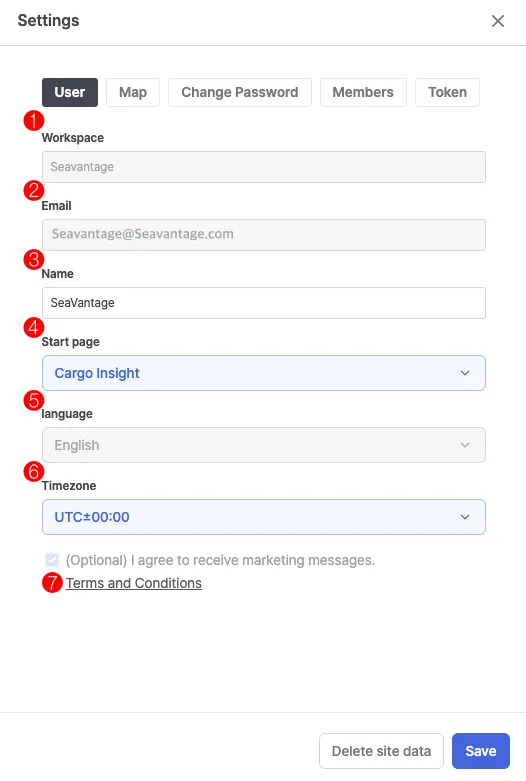
1. Workspace
•
View information about the workspace you belong to.
2. Email
•
Displays the email address associated with your login account.
3. Name
•
Allows you to edit your username.
4. Start page
•
Select the default page that opens upon login.
5. Language
•
Displays the language currently set for your account.
6. Timezone
•
Select your preferred timezone (based on UTC).
•
The selected time range applies only to the Timeline of past tracks in the Ship Insight’s Past Track feature and to the “Latest update” display in the AIS Info.
7. Terms and Conditions
•
View your consent status for receiving marketing information.
Notes
•
Settings are saved per account.
Map
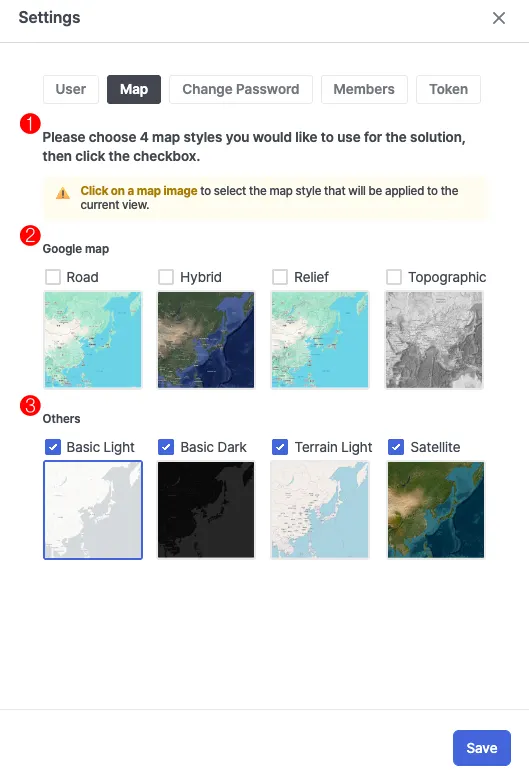
1. Guide
•
Up to four map styles can be selected.
•
Click on a map image to select and set it as your default map style.
2. Google map
•
Provides four basic styles: Road, Hybrid, Relief, and Topographic.
3. Others
•
Provides four additional styles: Basic Light, Basic Dark, Terrain Light, and Satellite.
Notes
•
Map settings are saved per account and are automatically applied when you log in again.
Change Password
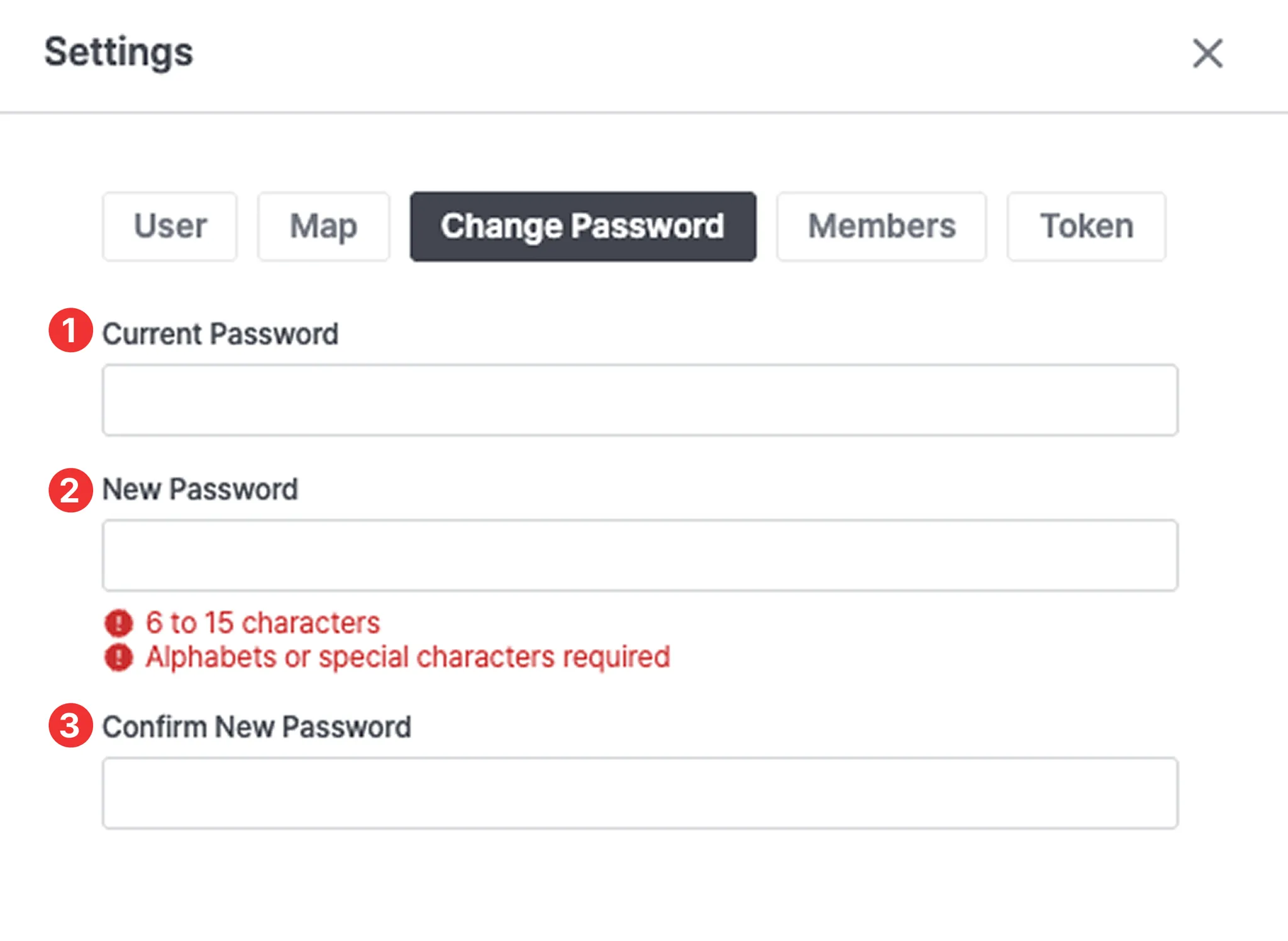
1. Current Password
•
Enter your current password.
2. New Password
•
Enter your new password.
•
The password must be 6–15 characters long and include a combination of letters and special characters.
3. Confirm New Password
•
Re-enter your new password to confirm.
Members
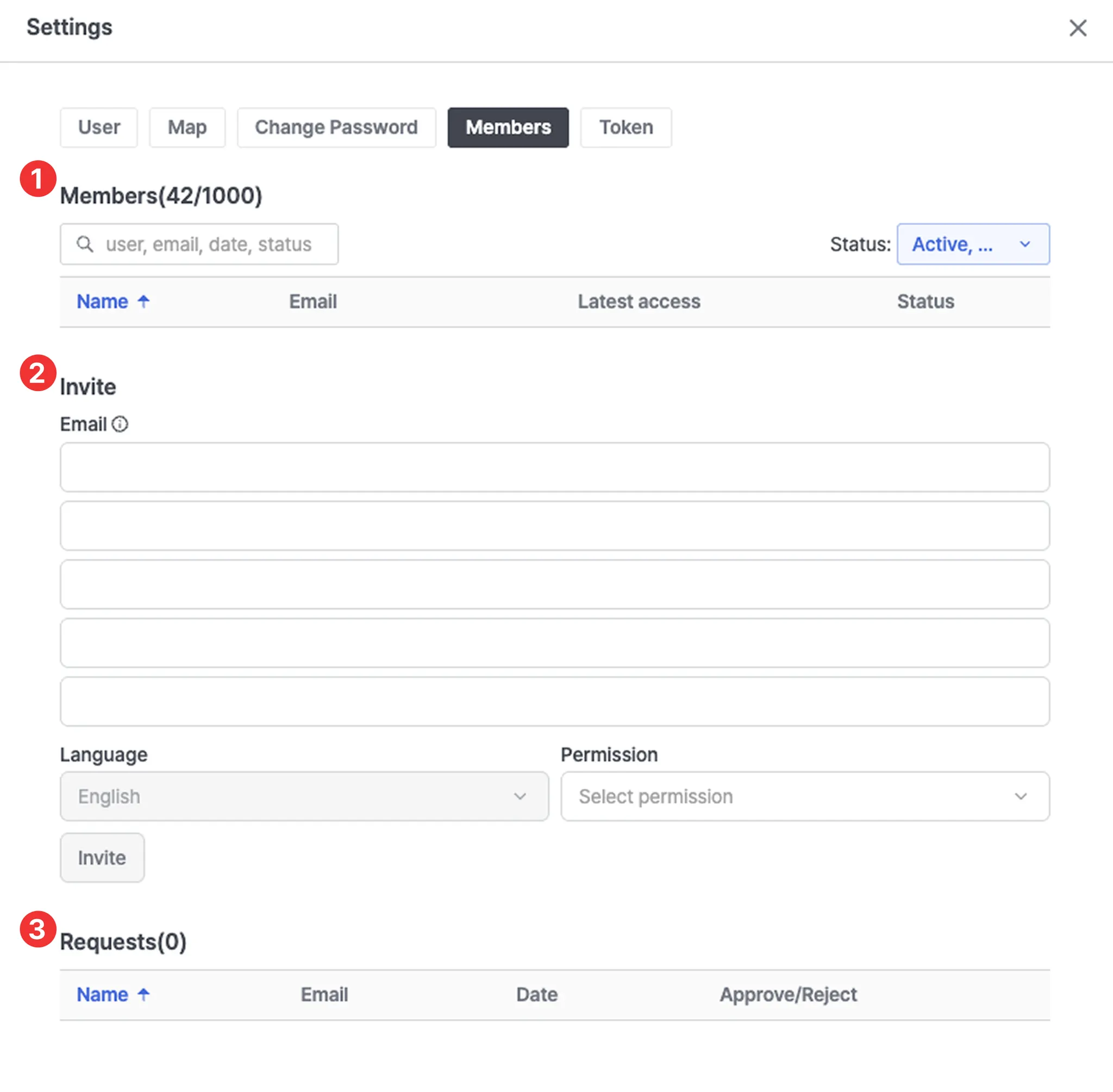
1. Members
•
Members(X/XX)
◦
The numbers in parentheses indicate the current number of members / maximum number of allowed members.
•
Search Bar
◦
Quickly search for users by Name, Email, Latest Access Date, or Status.
•
Status Dropdown Menu
◦
Filter members by status — Active, Blocked, or Deleted.
•
Member List
◦
Name: Member’s name
◦
Email: Login account email address
◦
Latest Access: Last login date
◦
Status: Current account status
2. Invite
•
Email
◦
Enter the email address of the user you wish to invite.
•
Permission
◦
Assign the appropriate access permissions for the invitee.
3. Requests
•
This section allows administrators to approve or reject workspace membership requests submitted by users.