



This screen is a dashboard that provides an overview of the current status within the workspace.
General
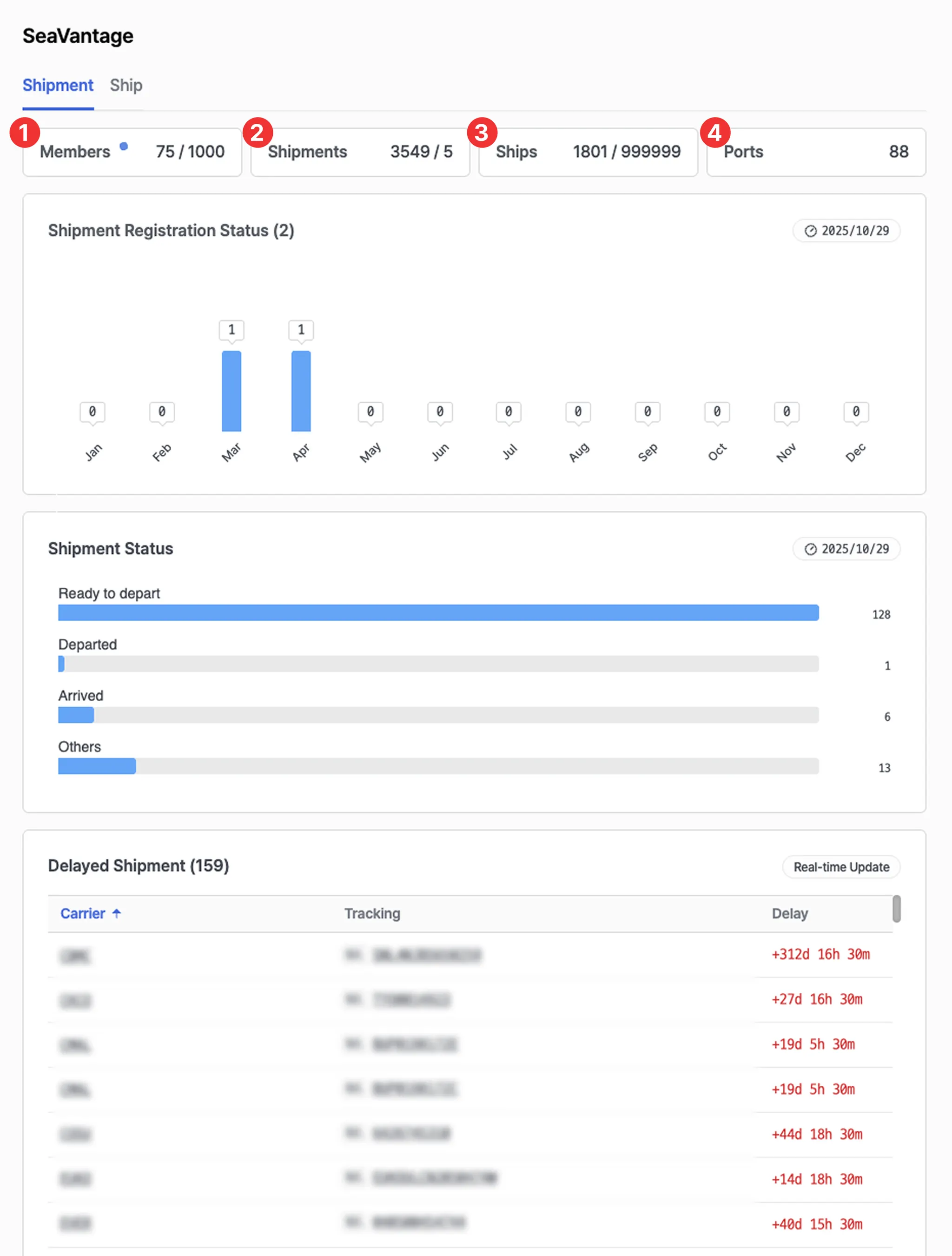
1. Members
•
Displays the number of accounts registered in the workspace.
•
Clicking this section allows you to view account details and invite new members.
2. Shipments
•
Displays the number of shipments registered in the workspace.
•
Clicking this section redirects you to the Cargo Insight page.
3. Ships
•
Displays the number of vessels registered in the workspace.
•
Clicking this section redirects you to the Ship Insight page.
4. Ports
•
Displays the number of ports currently in use under Port Insight within the workspace.
Shipment
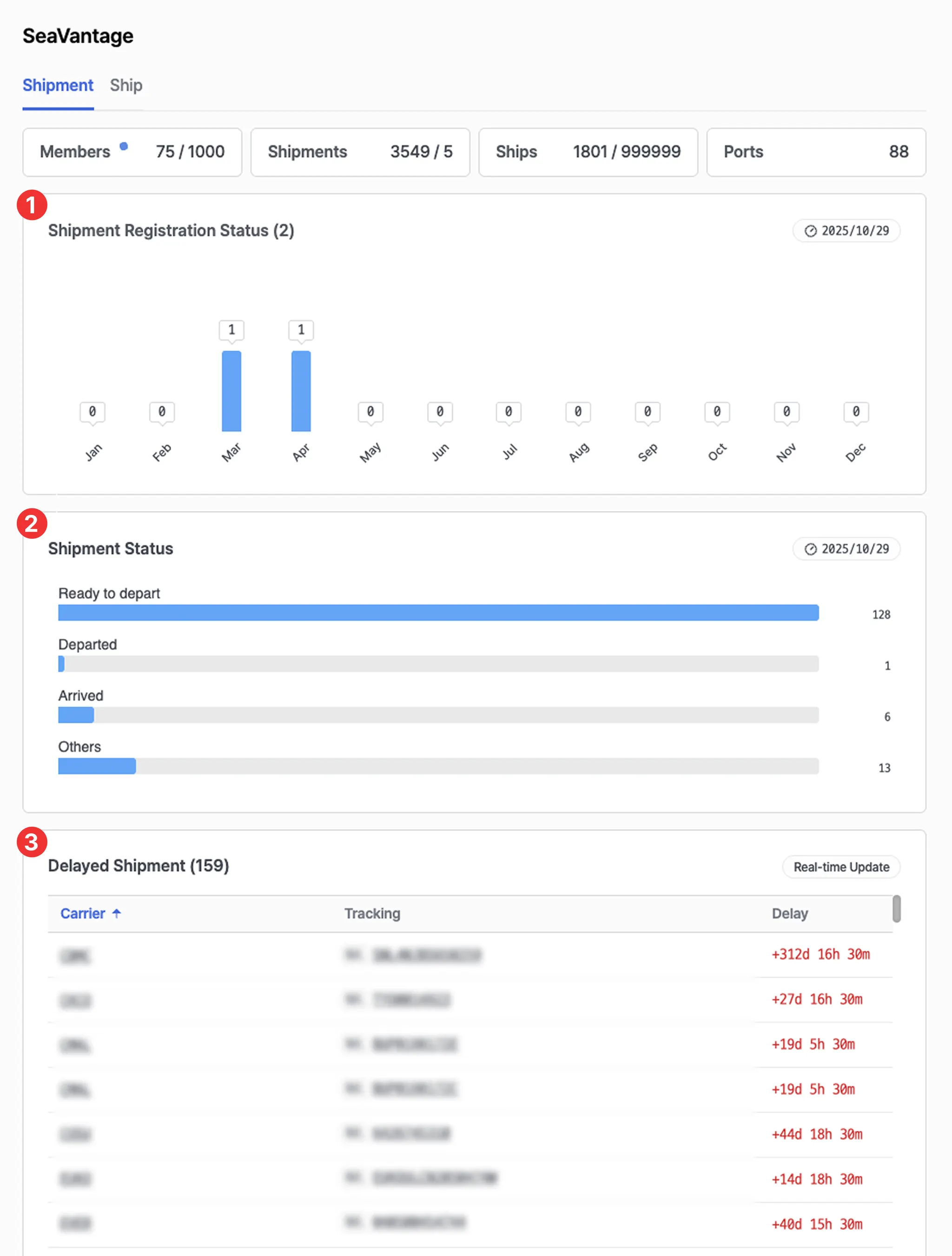
1. Shipment Registration Status
•
View the monthly shipment registration status.
2. Shipment Status
•
Provides an overview of all registered shipments categorized by their current status.
3. Delayed Shipment
•
Displays a list of shipments with delays.
•
Clicking a shipment number redirects you to the Cargo Insight page, where you can view detailed tracking information and the map view for that shipment.
Ship
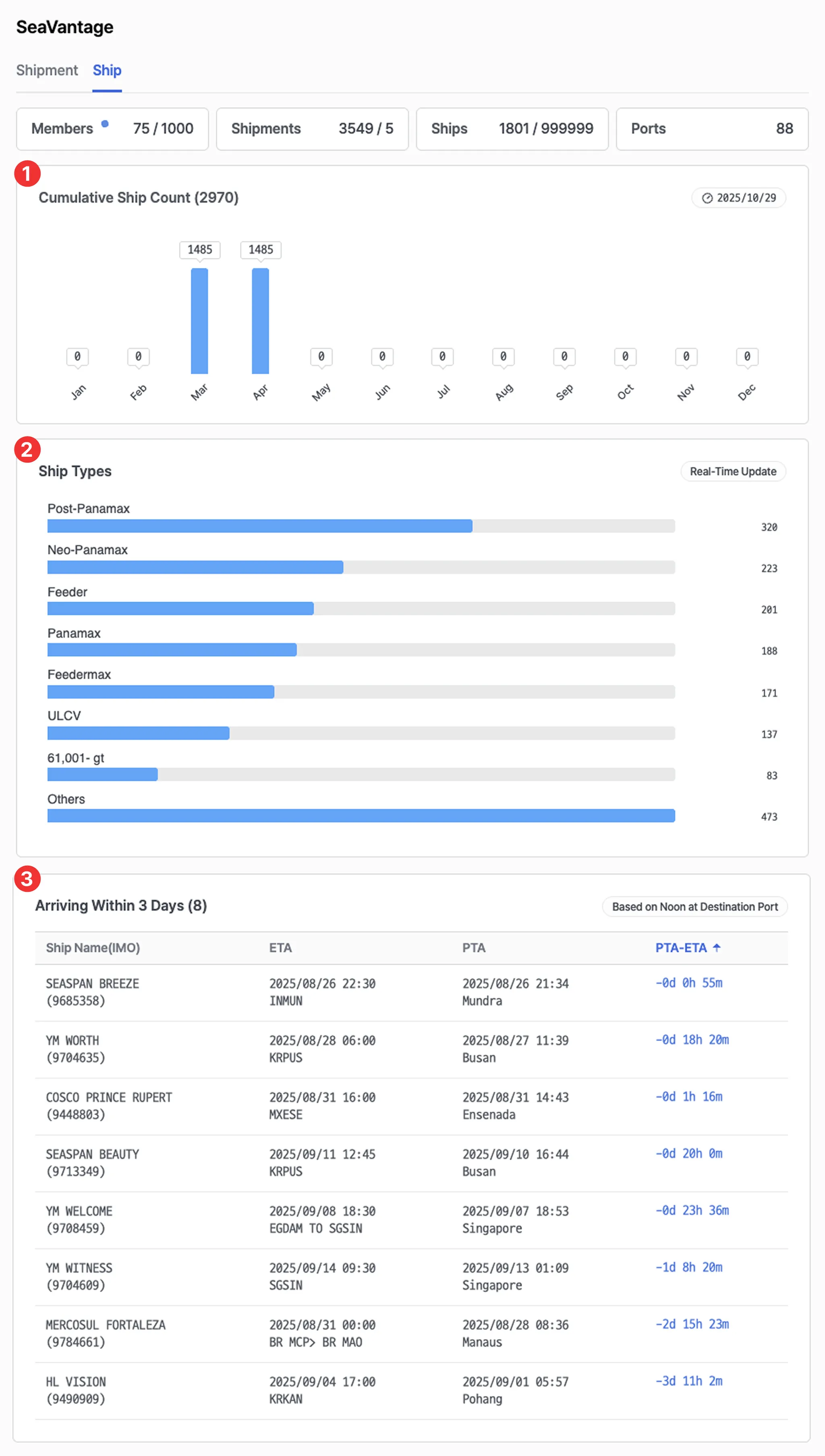
1. Cumulative Ship Count
•
Displays the total number of vessels registered to date.
2. Ship Types
•
Shows the number of vessels by vessel type among those registered in the workspace.
3. Arriving Within 3 Days
•
Displays a list of vessels scheduled to arrive within 3 days.
•
ETA refers to the vessel’s AIS-provided arrival time, while PTA represents SeaVantage’s predicted arrival time.
◦
By comparing the two values (PTA – ETA), you can assess potential arrival delays and prediction accuracy.