



Dashboard
The dashboard allows you to register, view, and manage B/L (Bill of Lading) information.
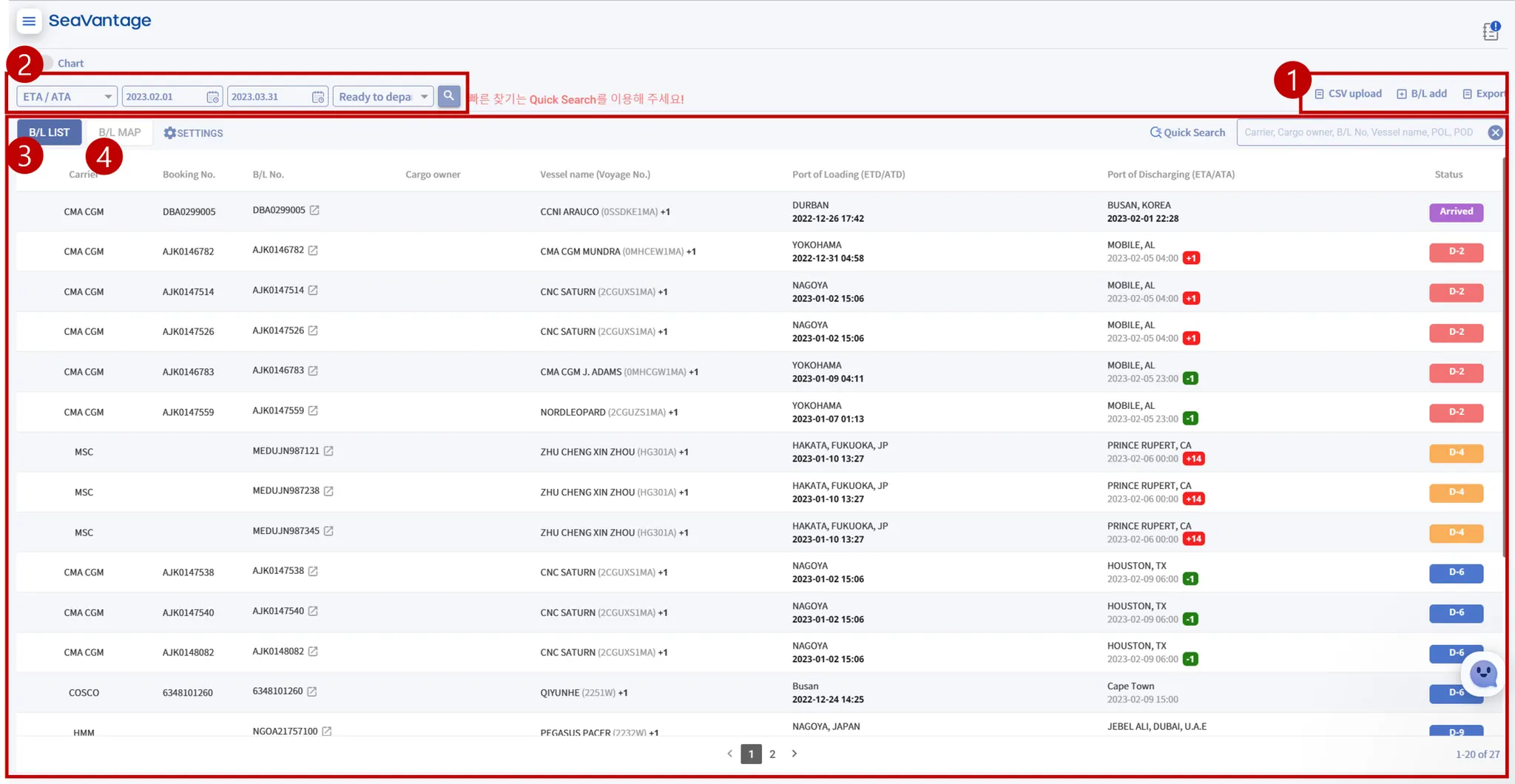
No. | Item | Description |
① | B/L Registration | You can register a B/L in two ways: (1) Single Registration: B/L registration pop-up
(2) Mass/Bulk Registration: Upload a CSV File |
② | B/L Search | Set search criteria to find B/Ls (e.g., B/L Type, search period, B/L Status) |
③ | B/L List | Displays information of the retrieved B/Ls |
④ | B/L Map | Shows the vessels from the retrieved B/L list on the map |
B/L Search Criteria
•
ETA/ATA: Based on the vessel's arrival date
•
ETD/ATD: Based on the vessel's departure date
B/L Search
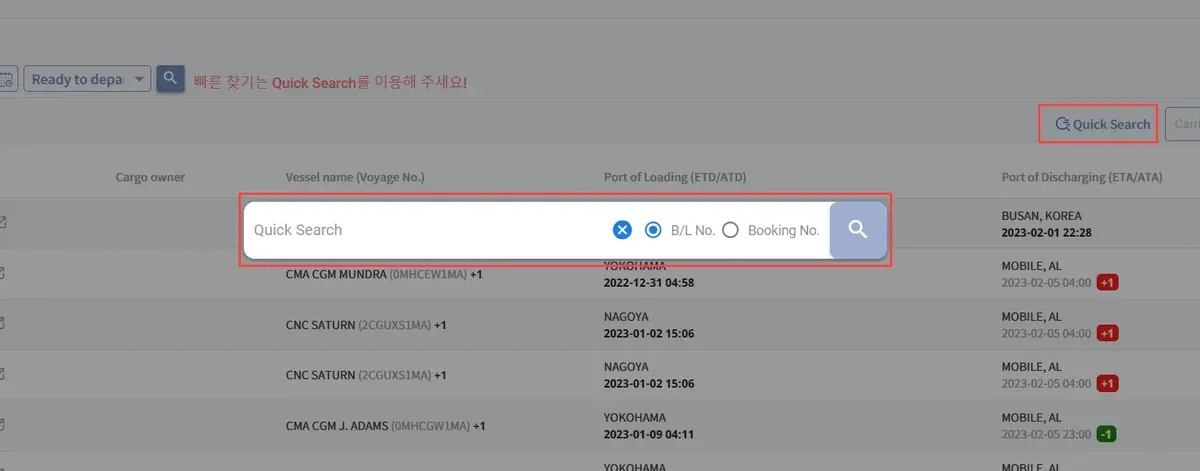
Quick Search
You can search for B/L or Booking No. using Quick Search without specifying date search criteria.
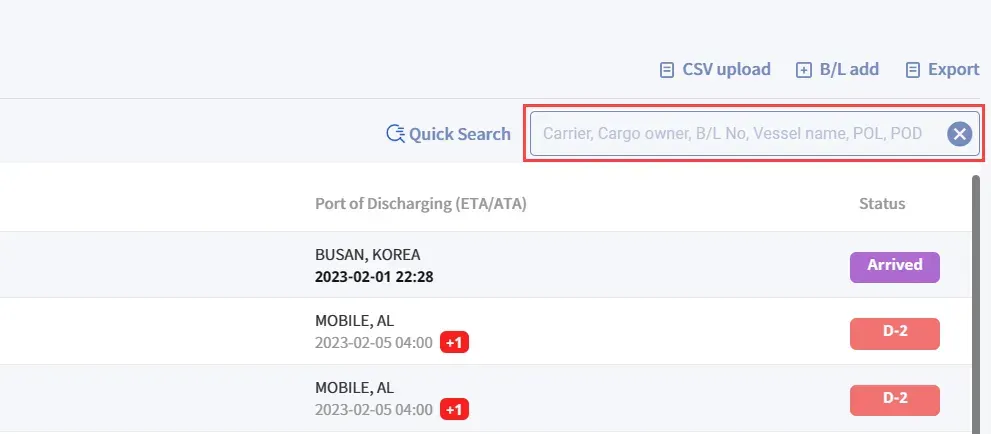
Filter Search
You can use the search function by performing a keyword search within the specified search filter/conditions.
B/L List
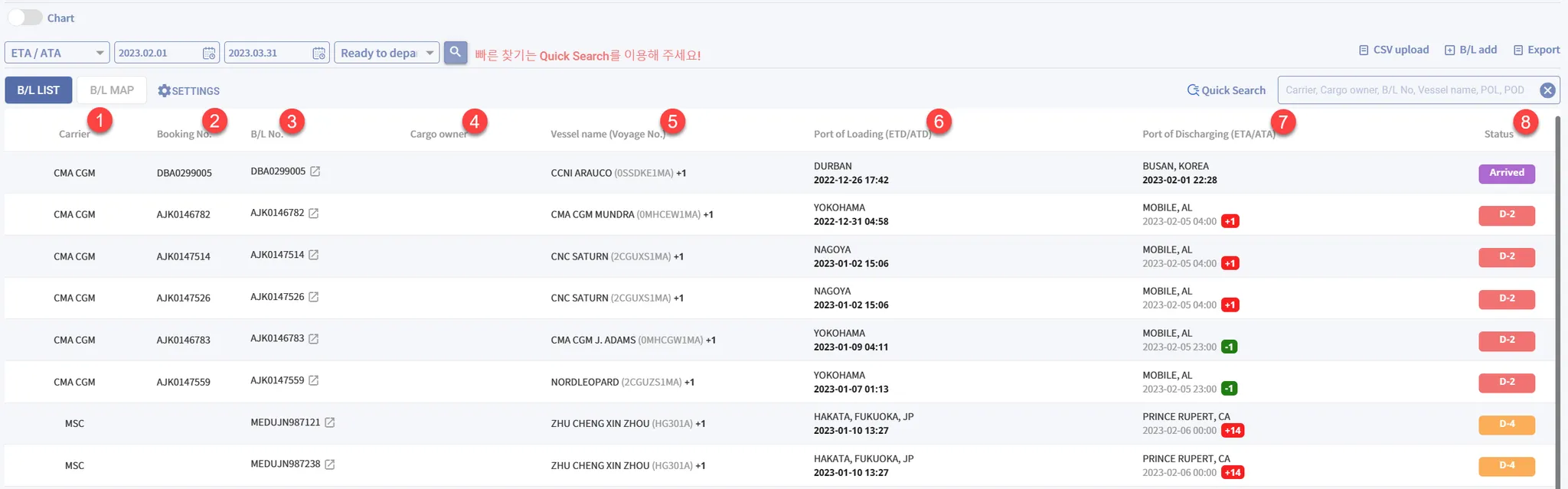
No. | Item | Description | Data Source |
① | Carrier | The booking carrier that issued the B/L. | User Input |
② | Booking No. | Carrier Booking Confirm Number | User Input |
③ | B/L No. | Master Bill of Lading No. issued by the shipping line | User Input |
④ | Cargo Owner | Actual Consignee of the Cargo | User Input (API) |
⑤ | Vessel Name* | Vessel name and voyage numberIndicate with +n if shipment involves multiple vessels or voyages | Carrier's Data |
⑥ | Port of Loading
(ETD/ATD) | Departure time from the port of loading. | Carrier's Data |
⑦ | Port of Discharging
(ETA/ATA)* | Arrival time at the port of discharge. | Carrier's Data |
⑧ | Status | Days remaining until arrival at the port of discharge. | Latest ETA |
Vessel Name
•
+n Voyage Indicator: Clicking on a vessel name with a +n indicator expands the row below to display additional voyage details.
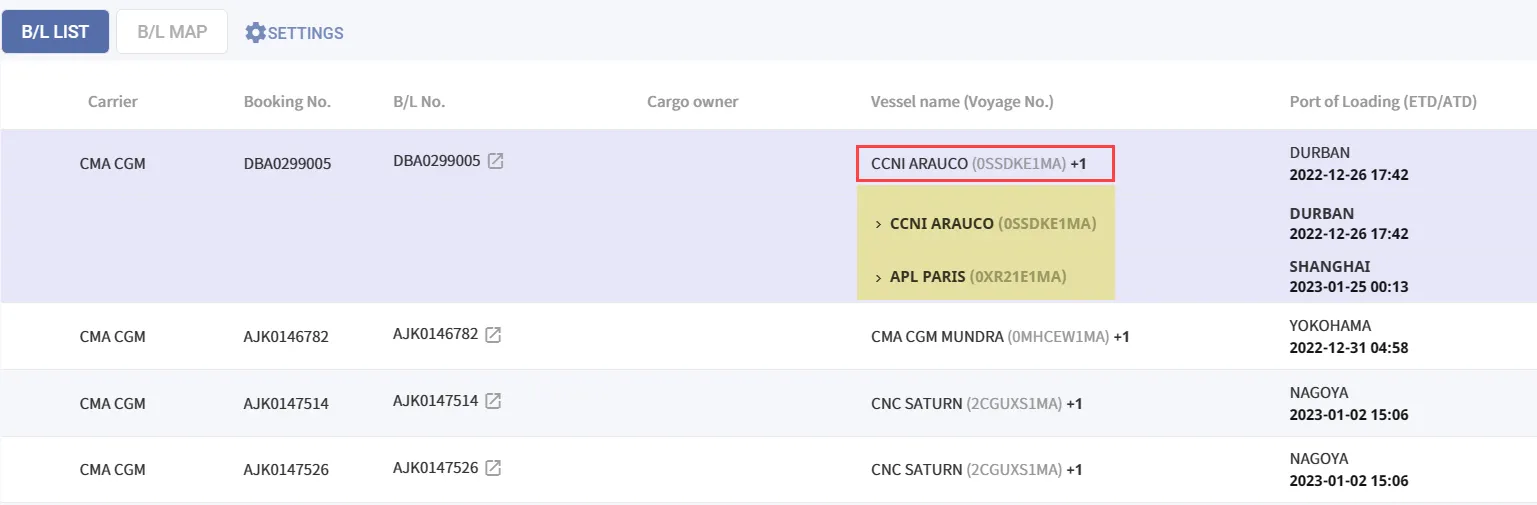
Port of Discharging (ETA/ATA)
ETA Information with + and - Indicators
•
Displays the expected arrival time provided by the discharge port and the shipping line.
•
Shows the numerical difference between the initial ETA and the current ETA.
•
Clicking the number allows you to view both the initial ETA and the current ETA.
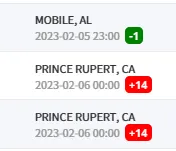
양하항과 ETA 표시
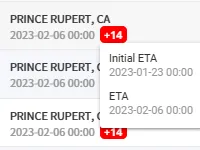
Initial ETA와 현재시점 ETA 확인
How to Differentiate Between ETD/ATD and ETA/ATA?
•
Dates displayed in light gray at POL (Port of Loading) or POD (Port of Discharge) indicate ETD (Estimated Time of Departure) and ETA (Estimated Time of Arrival).
•
Dates displayed in bold black indicate ATD (Actual Time of Departure) and ATA (Actual Time of Arrival).
B/L Map
After setting the B/L data to be searched, click the B/L map tab button to display the real-time locations of the queried vessels.
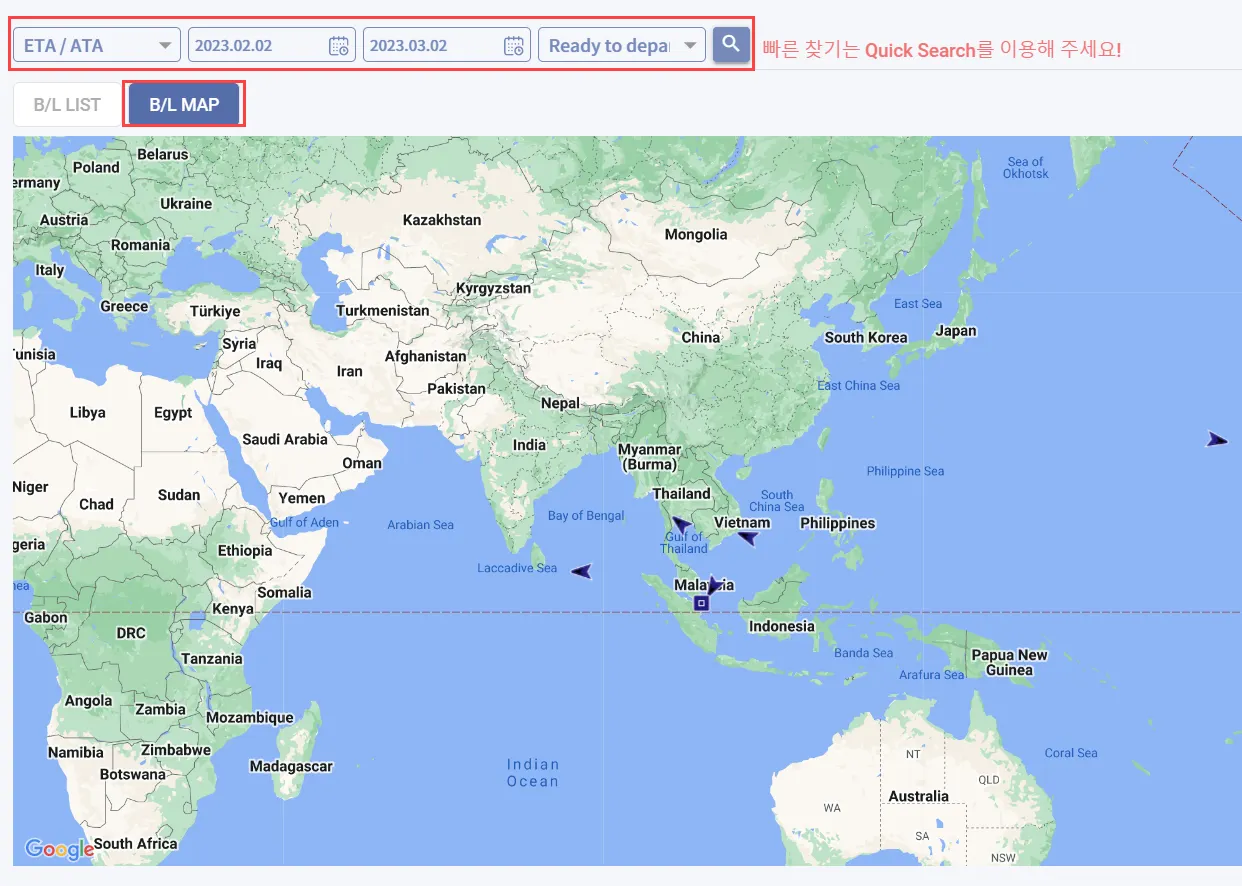
What are the criteria for vessels displayed on the B/L MAP?
•
The vessels displayed on the B/L MAP are based on the queried B/L list, showing their real-time locations.
•
Vessels that have already arrived will no longer appear on the map. (Arrival is determined by the POD's ATA information.)