



Single B/L Registration
1.
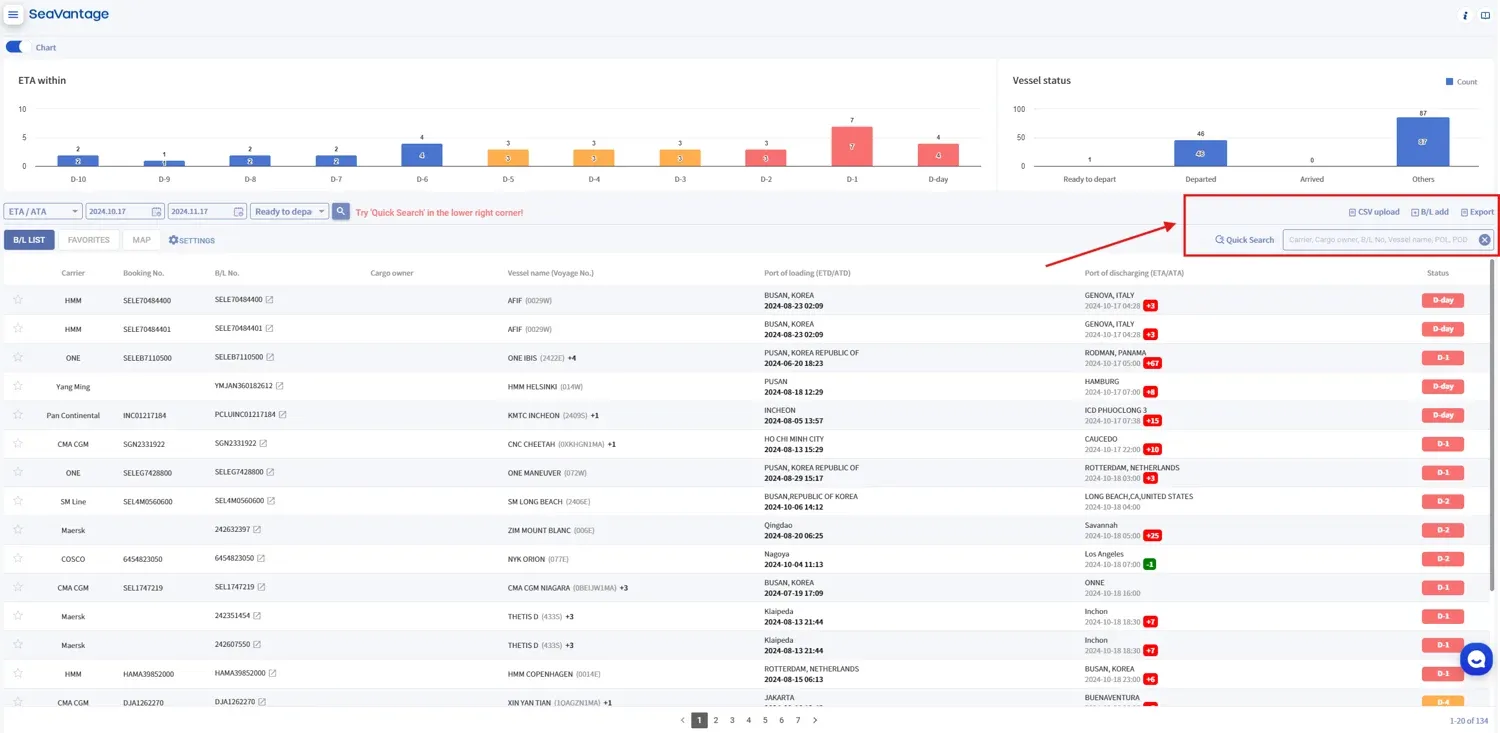
Click on the ‘+ B/L Add’ button to register one B/L at a time.
2.
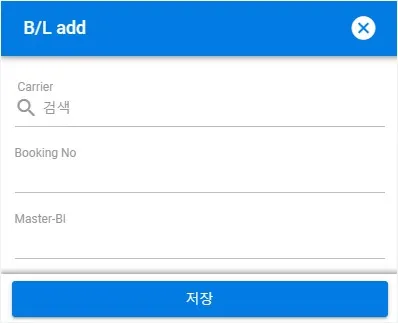
Enter your information in the B/L registration pop-up window.
Item | Description |
Carrier | Enter the booking carrier responsible for issuing the B/L You may click the magnifying glass icon to view the list of available carriers For the carrier or SCAC code, please refer to this list. |
Booking No | Carrier's booking confirmation number |
Master-B/L | Master Bill of Lading number issued by the carrier |
3.
Click "Save" to add the entry to the B/L LIST table.
Mass/Bulk Registration
1.
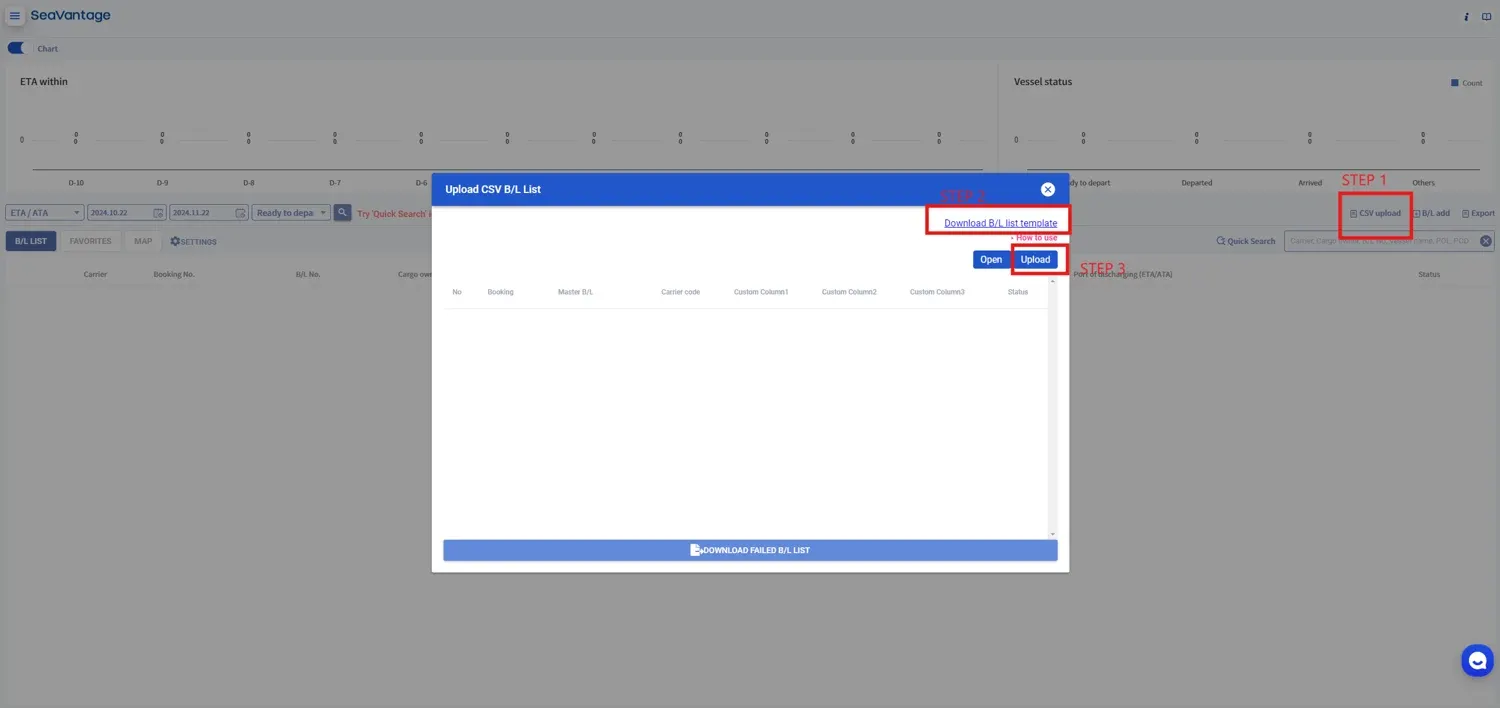
Click the CSV upload button.
2.
Download the CSV Template.
3.
Fill in the Carrier, Booking No. and/or Master B/L on the downloaded CSV template.
Note: Booking No. can be omitted
•
You will need the carrier code and Master Bill of Lading (M-B/L) or Booking Number. For the carrier or SCAC code, please refer to this list.
4.
Upload the CSV file you created.

B/L Registration Failed
Click the B/L UPLOAD FAILED LIST DOWNLOAD button at the bottom of the pop-up window to see the list of failed B/L uploads.