




이 API는 태풍에 관한 상세 정보를 조회할 수 있는 기능을 제공합니다. 태풍의 위치, 속도, 이동 경로 등 관련된 다양한 데이터를 실시간으로 제공하여, 태풍 분석 및 예측에 활용할 수 있습니다.
1. 인증 방법
Weather API는 사용자 인증을 위해 Swagger UI에서 Basic Authorize 인증 방식을 제공합니다.
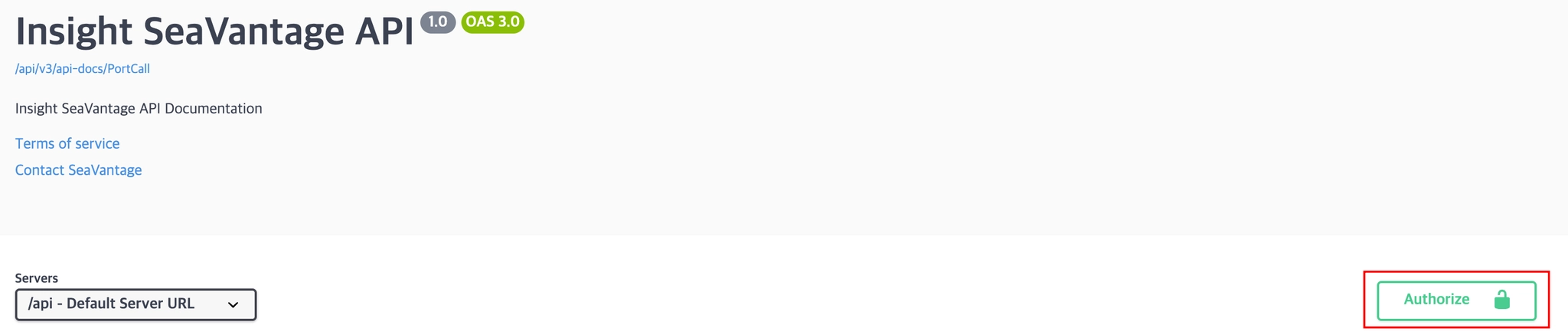
인증 절차는 다음과 같습니다:
1.
우측 상단의 [Authorize] 버튼을 클릭합니다.
2.
팝업 창에 제공받은 인증 정보(아이디, 비밀번호)를 입력합니다.
3.
입력 후 다시 [Authorize] 버튼을 클릭하여 인증을 진행합니다.
4.
인증이 완료되면 [Close] 버튼을 클릭하여 인증 창을 닫습니다.
Swagger UI에서 호출되는 모든 API 요청에 인증 토큰이 자동으로 포함되어 전송됩니다.
2. 요청 정보
2-1. 요청 정보
Request URL : [GET] https://insight.seavantage.com/api/weather/cyclone
2-2. 실행 순서
1.
Swagger 문서에서 우측 상단의 Select a definition 메뉴에서 Weather 선택
2.
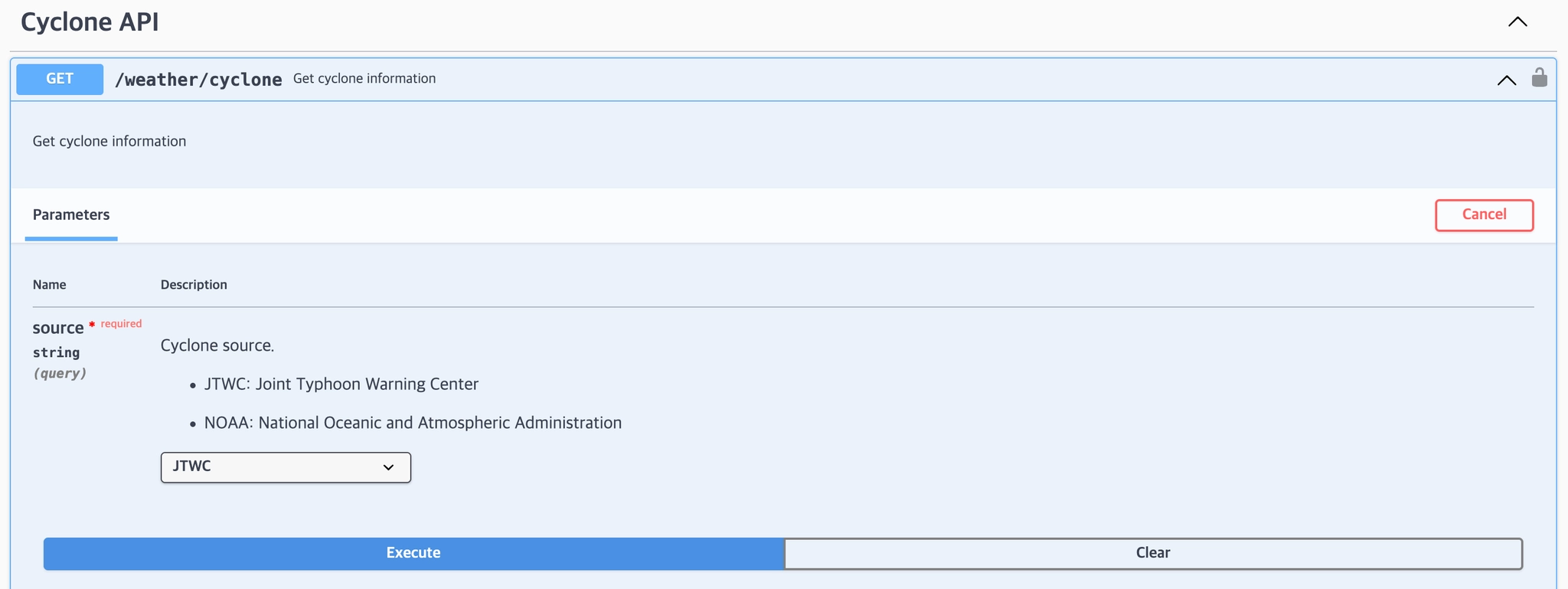
/weather/cyclone 경로로 이동
3.
[Try it Out] 클릭 → 입력창 활성화
4.
아래 입력하는 요청 Parameters 조건에 따라 입력
•
source- 태풍 관련 정보를 제공하는 source 항목을 설정합니다.
출처 | 설명 |
JTWC | 미국합동태풍경보센터 (Joint Typhoon Warning Center) |
NOAA | 미국 해양대기청 (National Oceanic and Atmospheric Administration) |
5.
[Execute] 버튼 클릭
6.
하단 응답 영역에서 등록 결과 확인

3. 응답 정보
 응답 예시
응답 예시
{
"code": 200,
"message": "OK",
"error": false,
"timestamp": "2024-12-01T12:00:00",
"response": [
{
"cycloneName": "string",
"cycloneNumber": 0,
"basin": "string",
"details": [
{
"dateTime": "2025-05-15T00:44:11.133Z",
"fixHour": 0,
"latitude": 0,
"longitude": 0,
"pressure": 0,
"speed": 0
}
],
"geoJson": {
"type": "FeatureCollection",
"features": [
{
"type": "Feature",
"geometry": {
"type": "Point",
"coordinates": [
50,
-10,
0
]
},
"properties": {
"name": "SOME CYCLONE",
"visibility": true,
"open": true,
"description": "",
"Style": {
"description": {
"title": null,
"abstract": null
},
"name": "name",
"transformation": null,
"options": {},
"featureInstanceIDs": null,
"onlineResource": null,
"rules": []
}
},
"id": "abc-aaaaaaaa_18dc1a851c8_-abcd"
}
]
}
}
]
}
JavaScript
복사
 응답 필드 상세 설명
응답 항목별 정의
필드명 | 예시 값 | 설명 |
code | 200 | 응답 상태 코드 (HTTP status code와 동일하게 사용됨)코드 목록은 아래 참조 |
message | success | 응답 메시지 (상태에 따른 설명) |
error | false | 오류 여부
(true: 오류 발생, false: 정상 처리) |
timestamp | 2025-05-15T10:56:59.034880881 | 응답 생성 시각 (UTC 기준) |
response | null 또는 Object | 응답 본문 데이터
화물 존재시 데이터 객체, 미존재시 null |
 응답 코드 종류
코드 | 설명 |
200 | 정상 처리 (Success) |
400 | 잘못된 파라미터 (Bad request) |
401 | 인증 필요 (Unauthorized) |
403 | 권한 없음 (Forbidden) |
422 | 처리 불가 (Unprocessable entity) |
429 | 요청 과다 (Too many requests) |
 응답 상세 설명
 Depth 1 필드 설명 (response 객체)
필드명 | 예시 값 | 설명 | 데이터 타입 |
cycloneName | string | 태풍 이름 | String |
cycloneNumber | 0 | 태풍 번호 | Integer |
basin | string | 태풍 형성 지역 | String |
Depth 2 필드 설명 (details 객체)
필드명 | 예시 값 | 설명 | 데이터 타입 |
dateTime | 2025-05-15T00:53:12.606Z | 태풍 형성 시각 | |
fixHour | 0 | 태풍 지속 시간 | |
latitude | 0 | 위도 | Double |
longitude | 0 | 경도 | Double |
pressure | 0 | 태풍 기압 | Double |
speed | 0 | 태풍 속도 | Double |
Depth 3 필드 설명 (geoJson 객체)
태풍 정보가 존재하더라도 geojson 정보가 없을 경우 geojson 값은 null 로 반환됩니다.필드명 | 예시 값 | 설명 | 데이터 타입 |
type | FeatureCollection | geoJson type |
필드명 | 예시 값 | 설명 | 데이터 타입 |
type | Feature | 개별 공간 객체 | |
type | Point | 공간(위치) 데이터 유형 | |
coordinates | 50, -10, 0 | 좌표 |
필드명 | 예시 값 | 설명 | 데이터 타입 |
name | SOME CYCLONE | 지리 객체의 이름 | |
visibility | true | true = 지도 표시
false = 지도 숨김 | |
open | true | 펼침 상태 또는 편집 가능 여부 | |
description | Typhoon center point | properties에 대한 설명 |
필드명 | 예시 값 | 설명 | 데이터 타입 |
title | Cyclone Style | Style 이름 | |
abstract | Style description for the specific cyclone feature | Style 설명 |
필드명 | 예시 값 | 설명 | 데이터 타입 |
name | CycloneStyleAlpha | Style 이름 | |
transformation | rotate(45) | Style 시각적 또는 좌표 변환 정보 | |
options | “color”: “red”, “opacity”: 0.8, “lineWidth”: 2 | Style 세부 옵션 | |
featureInstanceIDs | fc1, fc2, fc3 | 피쳐 인스터스의 고유 식별자(ID) | |
onlineResource | http://example.com/styling/resource | Style과 연결된 외부 리소스 | |
rules | “ruleName: “VisibilityRule”, “condition”: “visibility == true”, “action”: “display” | Style 동작이나 조건 처리 방식 |
필드명 | 예시 값 | 설명 | 데이터 타입 |
id | abc-aaaaaaaa_18dc1a851c8_-abcd | type (공간 데이터 유형) 고유 식별자 |