



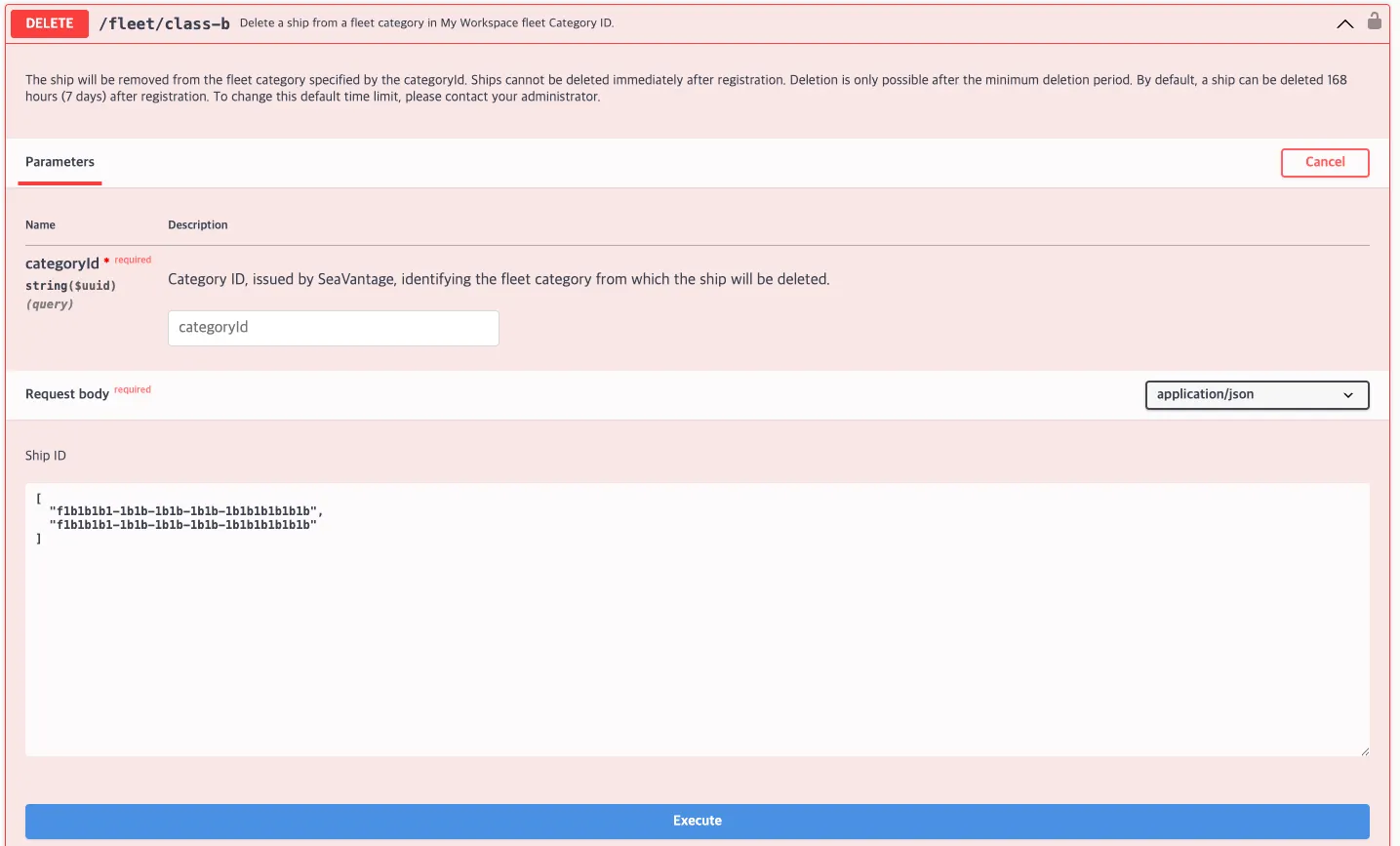
This API deletes a registered Class B vessel (ship) from a specific category (categoryId).
Deletion is not permitted immediately after registration. By default, a vessel can be deleted only after 7 days have elapsed since registration.

Authentication
The NonIMONo (Class B) Fleet API uses Basic Authorization for user authentication via Swagger UI.
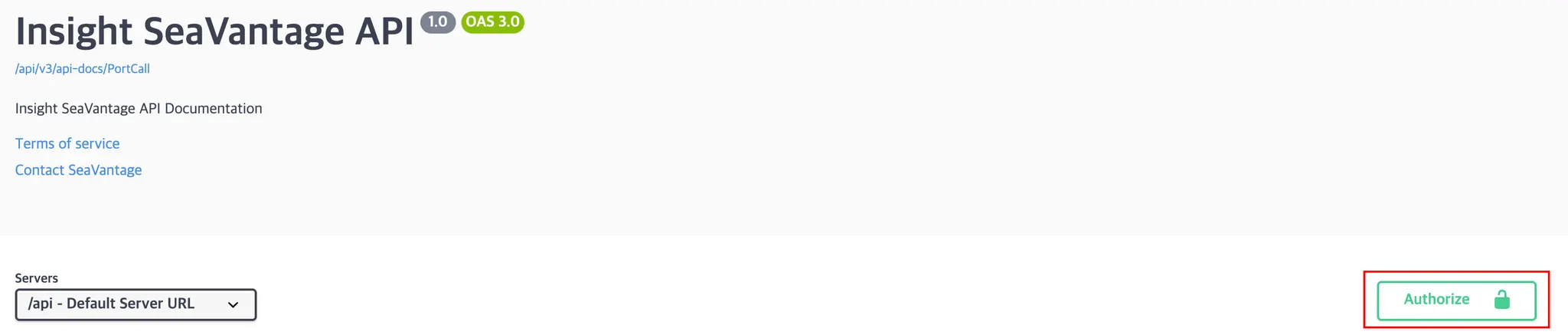
Authentication steps:
1.
Click the Authorize button in the top-right corner.
2.
Enter the provided credentials (username and password).
3.
Click Authorize again to proceed.
4.
Click Close to exit the authorization dialog.
All API requests executed from Swagger UI automatically include authentication credentials.
All API request executed from Swagger UI automatically include authentication credentials.
Request Information
Request Details
Request URL : [DELETE] https://insight.seavantage.com/api/fleet/class-b
Excutiin Steps
1.
2.
Navigate to the /fleet/class-b endpoint.
3.
Click Try it out to enable the input fields.
4.
Configure request parameters:
•
categoryId + shipId : Deletes the specified Class B vessel from a specific category.
◦
categoryId must be a UUID
◦
•
shipId only : Deltes the vessel from all categories it belongs to.
◦
shipId must be a UUID
◦
5.
Click Execute.
6.
Review the result in the response section.

This API is used for category-level vessel management to remove vessels from a category.
Response Information
Response Examples
•
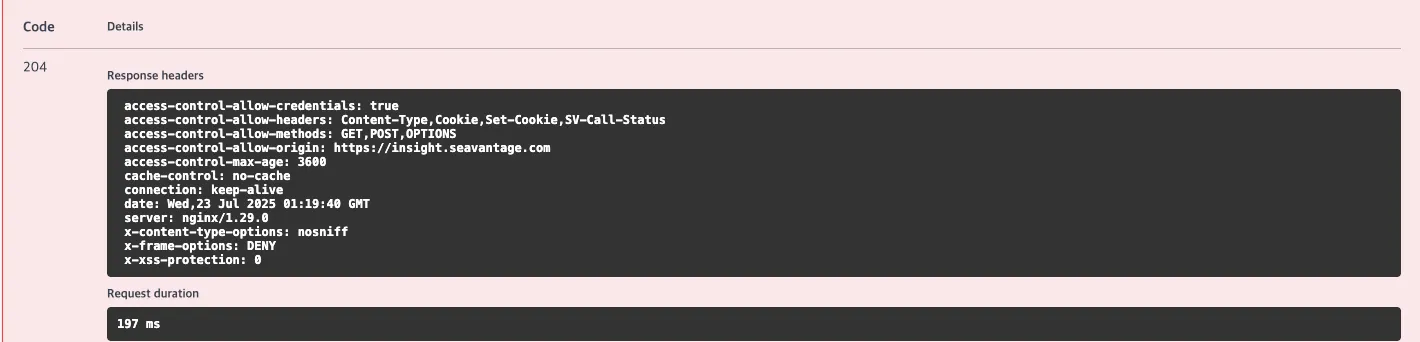
On success
◦
HTTP Status : 204 No Content
◦
No response body
•
On failure
{
"code": 400,
"message": "Invalid request body. Trace id : 5d4c6d66874f3faeeb186d5137bc799f",
"error": true,
"timestamp": "2024-12-01T12:00:00",
"response": null
}
JSON
복사
Response Field Details
Failure Response Field Definitions
Field | Example | Description |
code | 400 | Response status code (Aligned with HTTP status code)
(See the list of codes below for reference) |
message | Invalid request body. | Error description |
error | true | true: error occurred
false: success |
timestamp | 2024-12-01T12:00:00 | Response generation time (UTC) |
Response Status Codes
Code | Description |
204 | Deleted |
400 | Bad request |
401 | Unauthorized |
403 | Forbidden |
422 | Unprocessable entity |
429 | Too many requests, standard rate limit of 100 requests per minute exceeded |