



This API is used to update and re-register HBL information for an existing MBL or Booking Number.

Authentication
The Cargo API uses Basic Authorization on Swagger UI.
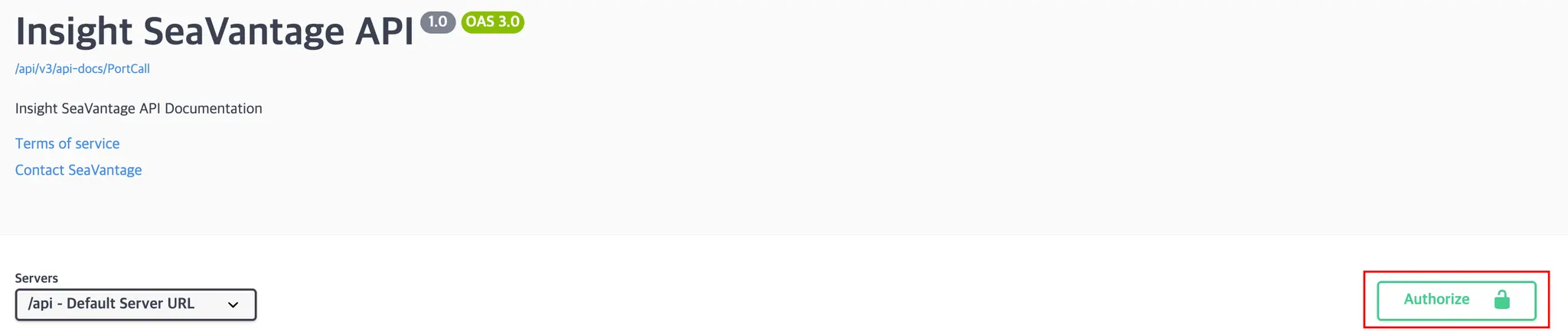
Authentication Steps
1.
Click the [Authorize] button in the top right corner.
2.
Enter the provided username and password in the pop-up window.
3.
Click [Authorize] again to proceed with authentication.
4.
After successful login, click [Close] to close the window.
All API requests from Swagger UI will automatically include the authorization token.
Request Information
Request URL
Request URL : [PUT] https://insight.seavantage.com/api/cargo/{documentId}
Execution Steps
1.
2.
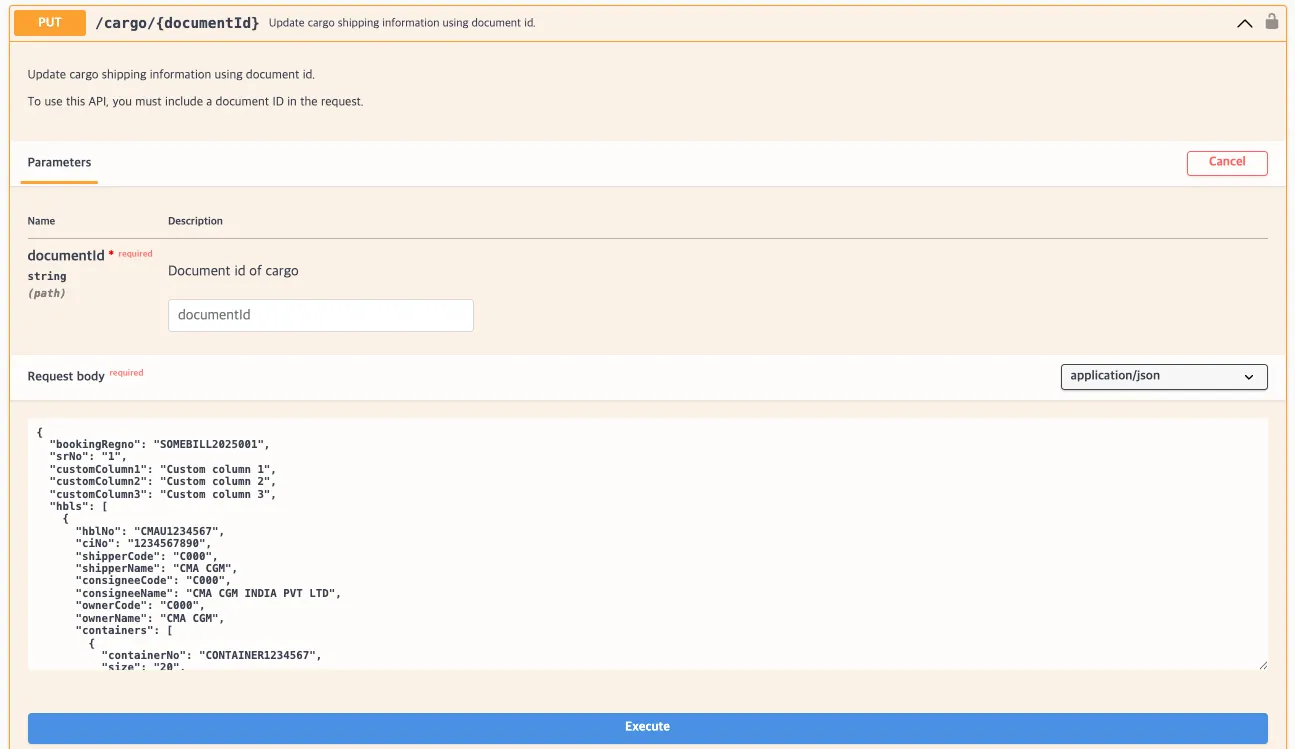
Navigate to the /cargo/{documentId} endpoint.
3.
Click [Try it out] to activate input fields.
4.
Enter values according to the following request parameters:
•
•
Request body example:
{
"bookingRegno": "SOMEBILL2025001",
"srNo": "1",
"customColumn1": "Custom column 1",
"customColumn2": "Custom column 2",
"customColumn3": "Custom column 3",
"hbls": [
{
"hblNo": "CMAU1234567",
"ciNo": "1234567890",
"shipperCode": "C000",
"shipperName": "CMA CGM",
"consigneeCode": "C000",
"consigneeName": "CMA CGM INDIA PVT LTD",
"ownerCode": "C000",
"ownerName": "CMA CGM",
"containers": [
{
"containerNo": "CONTAINER1234567",
"size": "20",
"type": "GP",
"commodity": "Electronics",
"hscode": "123456",
"qty": 10,
"gw": 1000,
"sealNo1": "123456",
"sealNo2": "123456",
"sealNo3": "123456"
}
]
}
]
}
JavaScript
복사
 Notes
Notes•
If hbls information was entered during registration and should remain unchanged, it must also be included in the update request.
•
If hbls is omitted in the update request, the existing value will be deleted and automatically regenerated.
•
Since Container Tracking does not support hbls input, remove the hbls object before sending the update request.
5.
Click [Execute].
6.
View results in the response section.
Response Information
The response is returned in the following format, regardless of whether the request is successful or failed.
Sample Response Format
{
"code": 200,
"message": "OK",
"error": false,
"timestamp": "2025-08-11T00:38:03.257175915",
"response": null
}
JSON
복사
Response Field Descriptions
Top-Level Response Fields
Field | Example Value | Description |
code | 200 | Response status code (used in the same way as standard HTTP status codes).
See the list of codes below for reference. |
message | OK | Response message (description based on status) |
error | false | Error flag
true: error occurred
false: successful processing |
timestamp | 2025-05-14T01:09:00.834665213 | Time of response creation (UTC) |
response | null | Returns null if success |
Response Codes
Code | Description |
200 | Success |
400 | Bad request |
401 | Unauthorized |
403 | Forbidden |
422 | Unprocessable entity |
429 | Too many requests, standard rate limit of 100 requests per minute exceeded |